NS NICK SOMERSADVOCATE · ACTOR · FILMMAKER · RESPONDER

The Workshop · Building since 1997

Built from
scratch

From hand-coded HTML at a 1990s internet provider to the custom apps that run my studio, my search & rescue team and my family's day, I've always built the tools I wish existed.

The long way around

From dial-up to apps

I've always been curious about how things work. I've been a tinkerer for as long as I can remember, especially with electronics and computers, and building my own tools grew naturally out of that.

1997

The early internet

I started as a web designer at an internet service provider while the internet was just getting started, learning HTML, servers and networking at the same time.

2000s

PHP & databases

That grew into full PHP programming and database development, building custom applications and tools for businesses all over the world.

2013

Into the studio

Since 2013, film and running the studio have come first, and coding took a back seat.

Today

Building again

Now I'm back to making apps and tools: for the studio, for search & rescue, for emergency preparedness and for my family.
Recent projects

What I've built lately

Real tools in daily use. Screenshots use made-up sample data, so no personal, client or team information appears. Click any screenshot to see it full size.

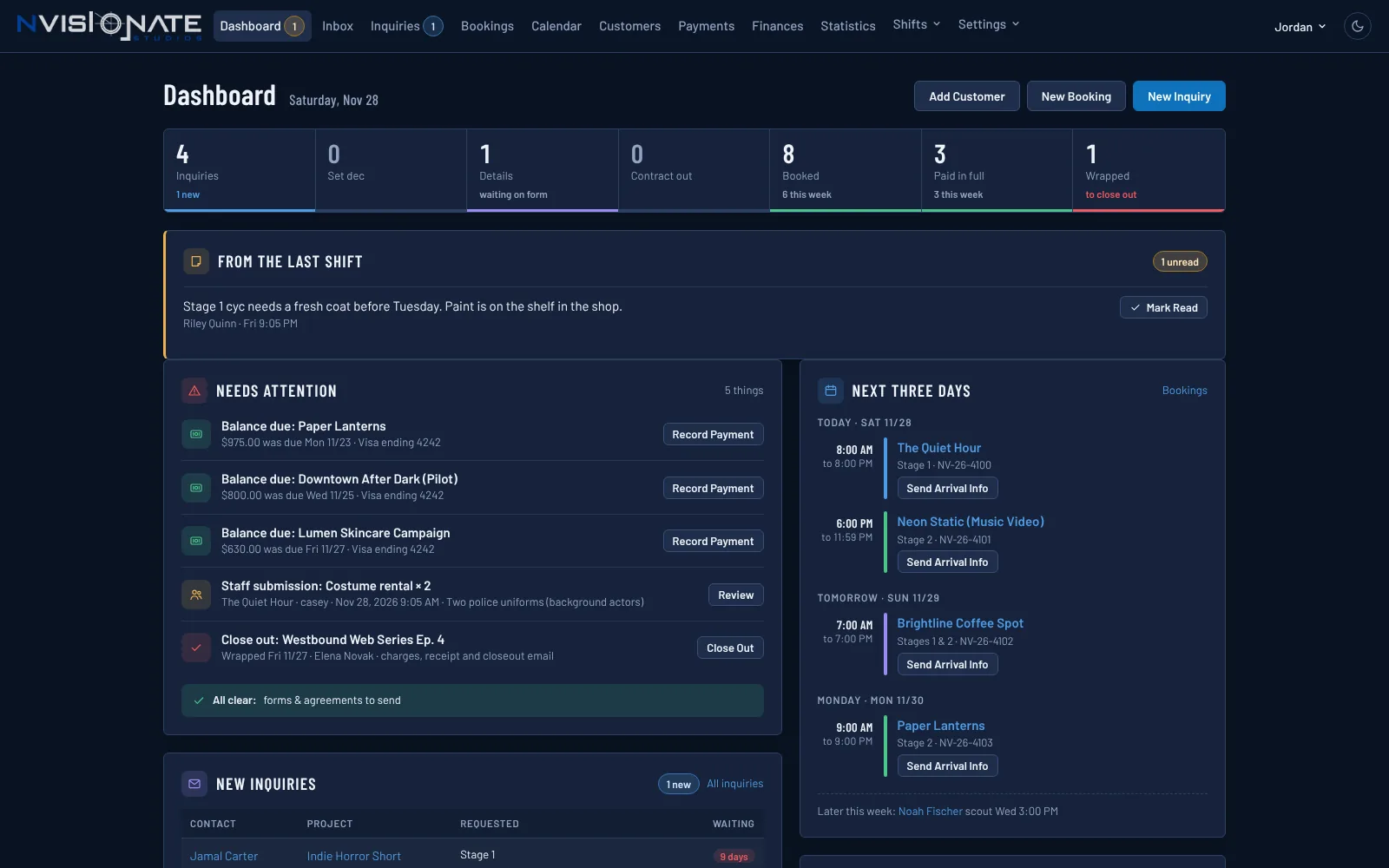
Nvisionate Studios CRM: The office dashboard: the booking pipeline, what needs attention, and the next three days on stage.
The office dashboard: the booking pipeline, what needs attention, and the next three days on stage.
Nvisionate Studios CRM: A stage manager's Today screen: shoots on stage, rentals out and notes from the last shift.
A stage manager's Today screen: shoots on stage, rentals out and notes from the last shift.
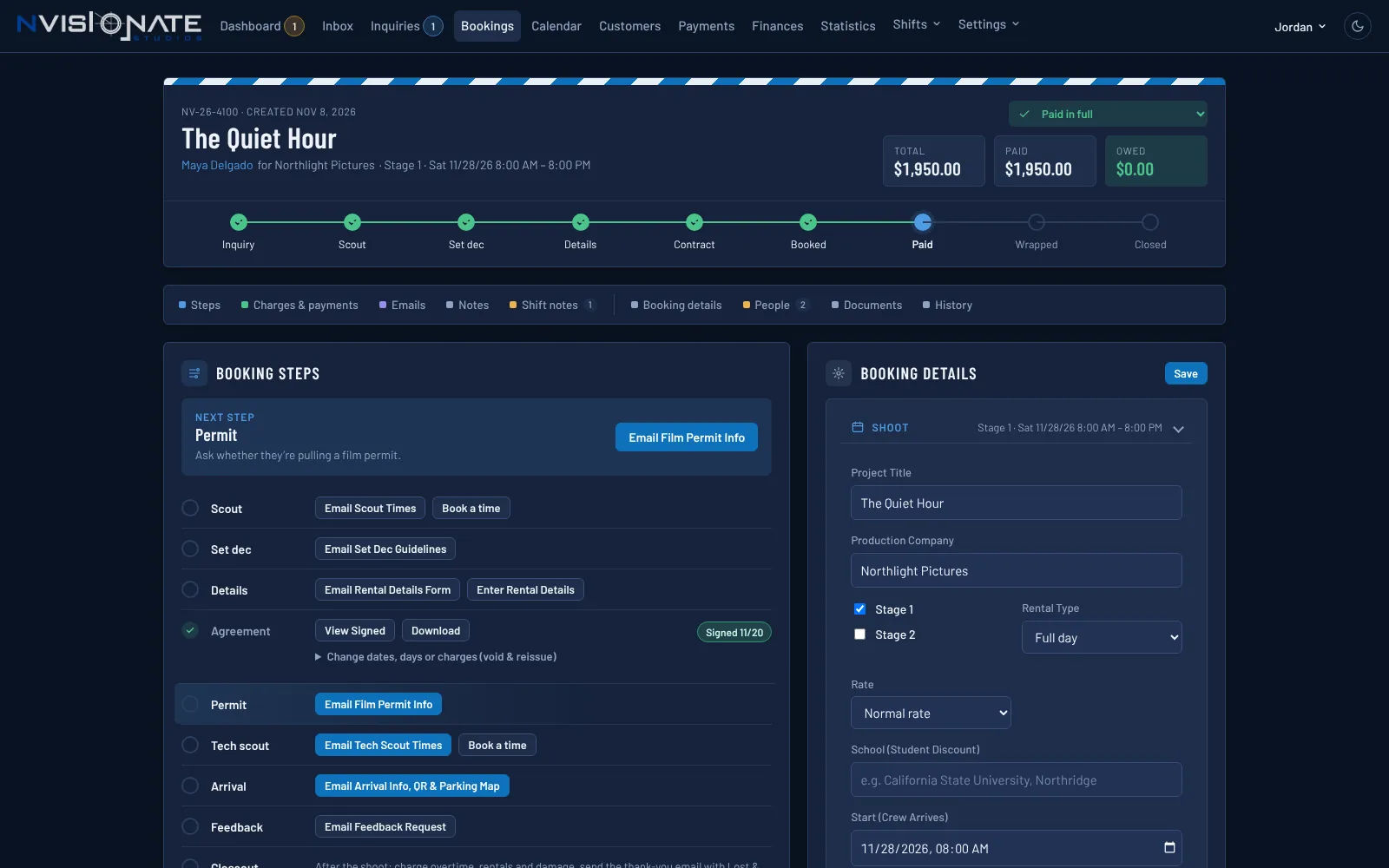
Nvisionate Studios CRM: A booking from start to finish: each step, the crew's costume and prop requests, and the booking details.
A booking from start to finish: each step, the crew's costume and prop requests, and the booking details.
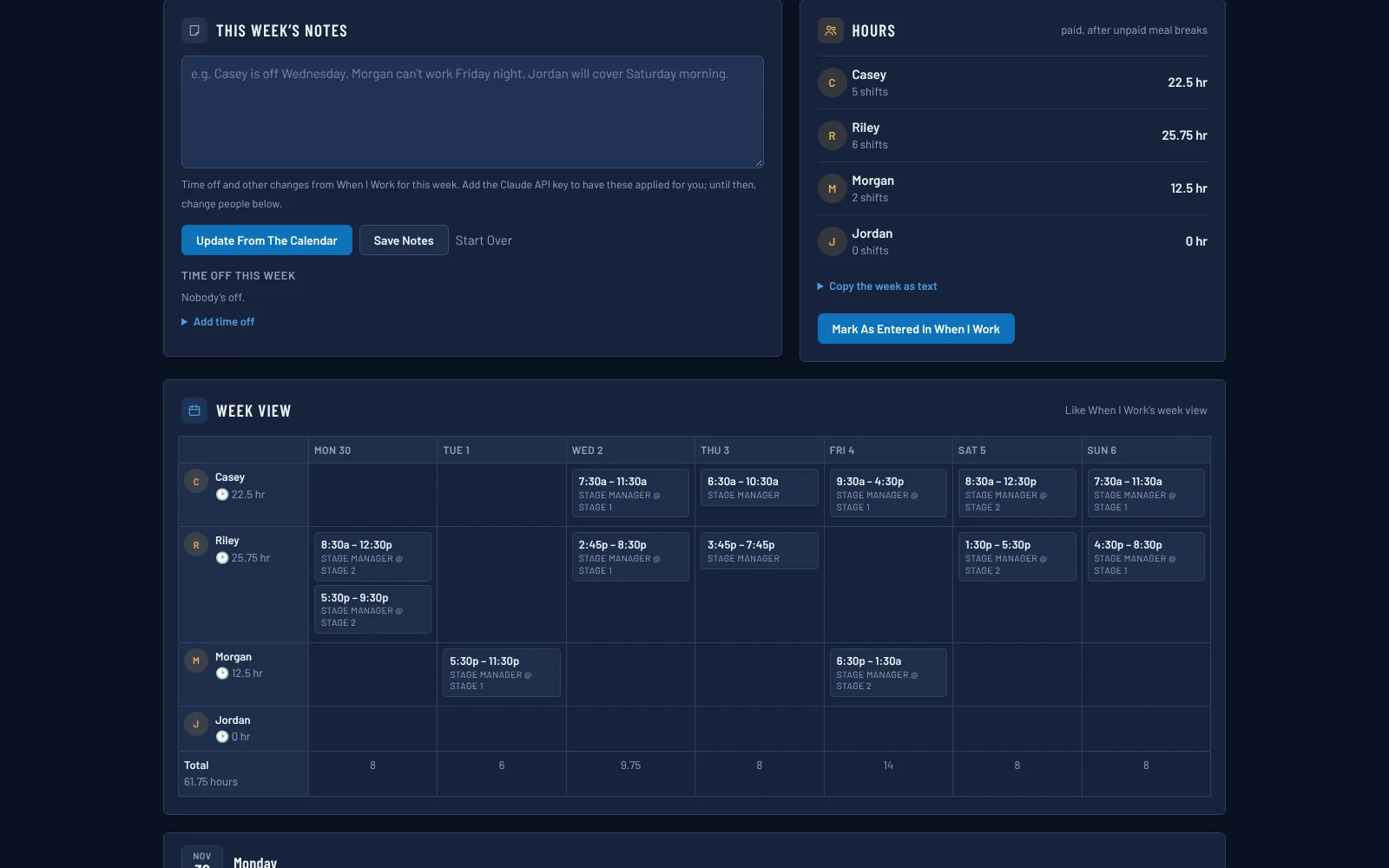
Nvisionate Studios CRM: Schedule Builder: staff shifts worked out from the bookings, with each person's hours for the week.
Schedule Builder: staff shifts worked out from the bookings, with each person's hours for the week.
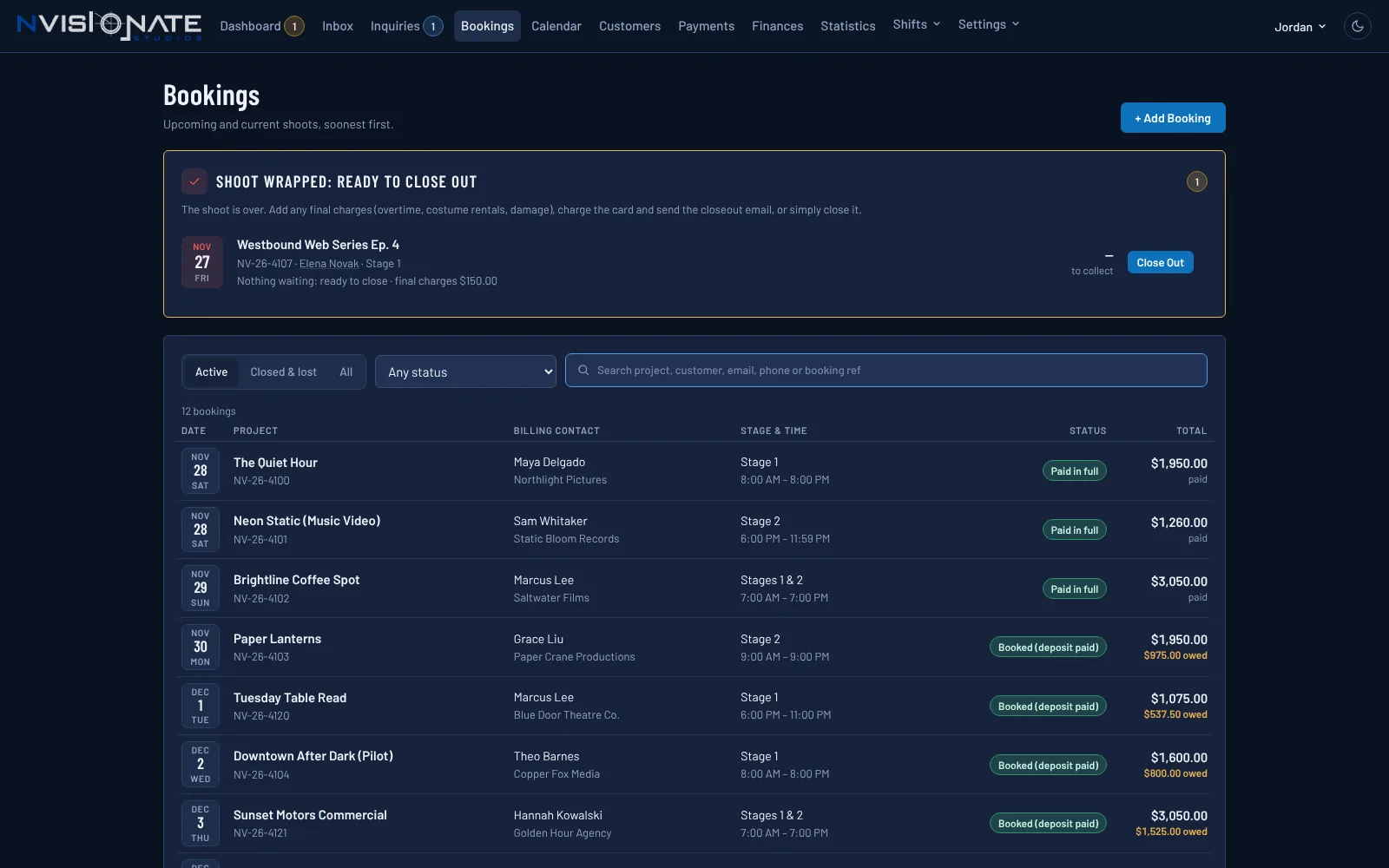
Nvisionate Studios CRM: The bookings list, with shoots ready to close out at the top.
The bookings list, with shoots ready to close out at the top.
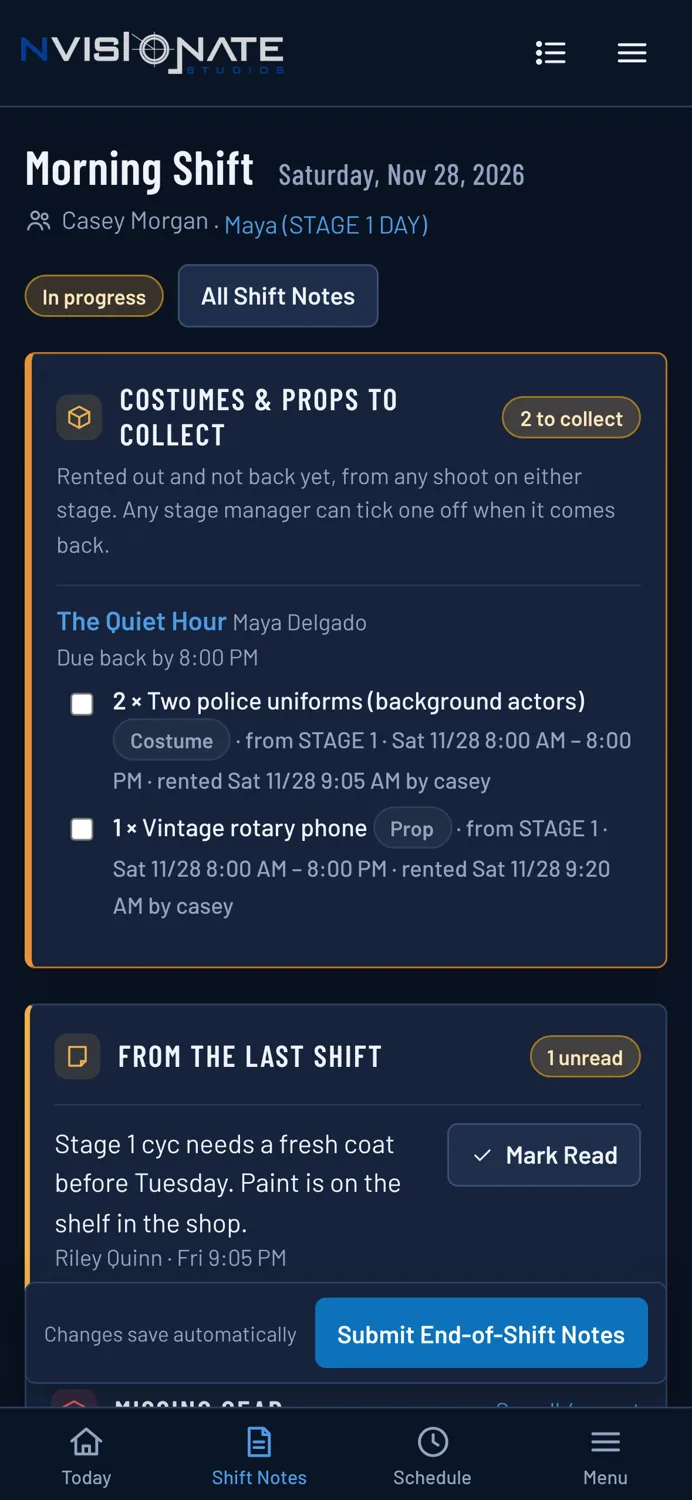
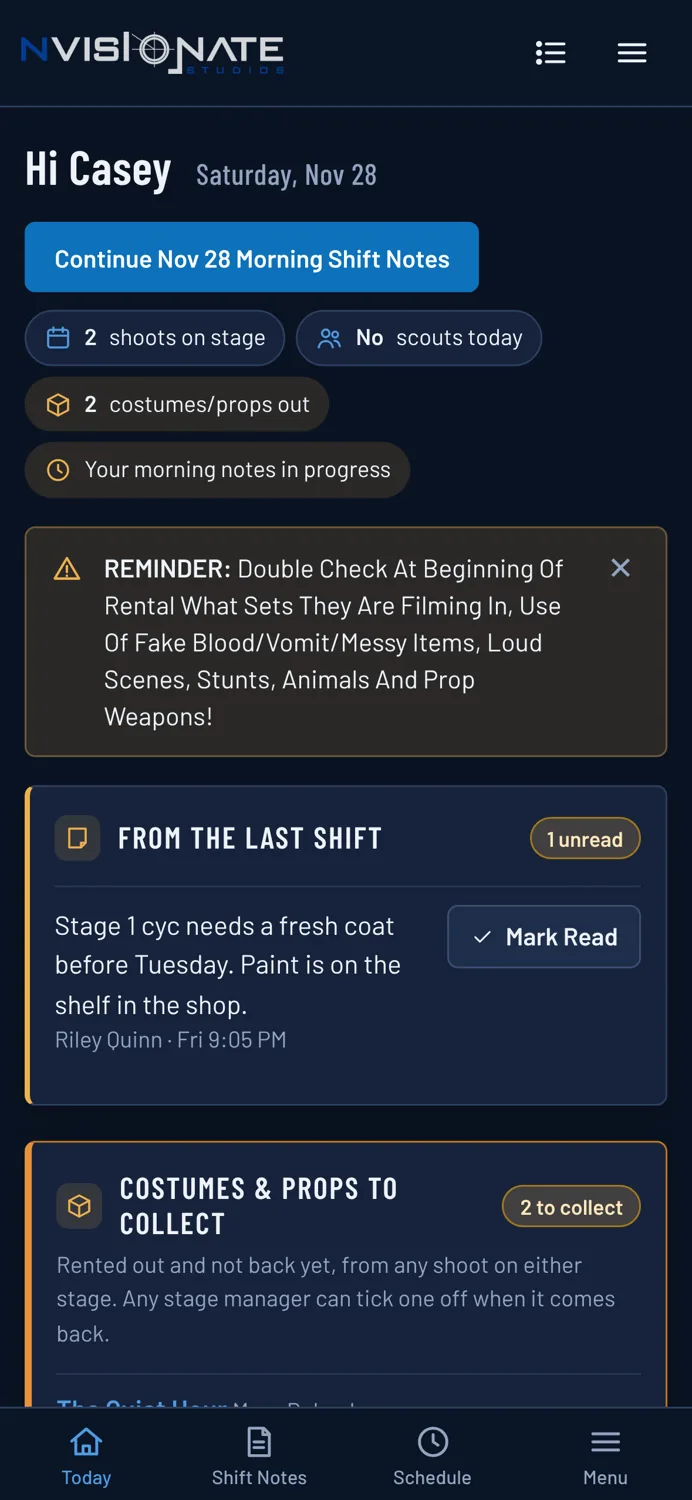
Nvisionate Studios CRM: Shift notes on a phone: costumes and props to collect, and a note from the previous shift.
Shift notes on a phone: costumes and props to collect, and a note from the previous shift.
Studio · BusinessIn use

Nvisionate Studios CRM

The booking, crew and back-office system that runs a two-stage film studio.

I built a custom booking and operations system for Nvisionate Studios, a film and photo sound stage. Productions go from first inquiry to signed agreement and payment without spreadsheets. On shoot days, stage managers use it on their phones to check crews in, log costume and prop rentals and report damage. Afterwards the office closes out the booking with one click. It also schedules the staff, keeps the studio's calendars in sync, and tracks expenses. Everything the studio does happens in one place.

  • Takes a production from inquiry to booked and paid, with e-signed rental agreements and card payments
  • Phone-friendly shift notes for stage managers: crew check-ins, rentals, damage photos and handoff notes
  • Schedule Builder works out staff shifts from the bookings calendar and syncs them to the scheduling app
  • Automatic reminders, arrival instructions and gate passes for each shoot
  • Finances: income, expenses, receipts and monthly profit and loss
PHP 8MySQLJavaScriptKotlin / AndroidFirebaseGoogle Calendar APIAuthorize.net
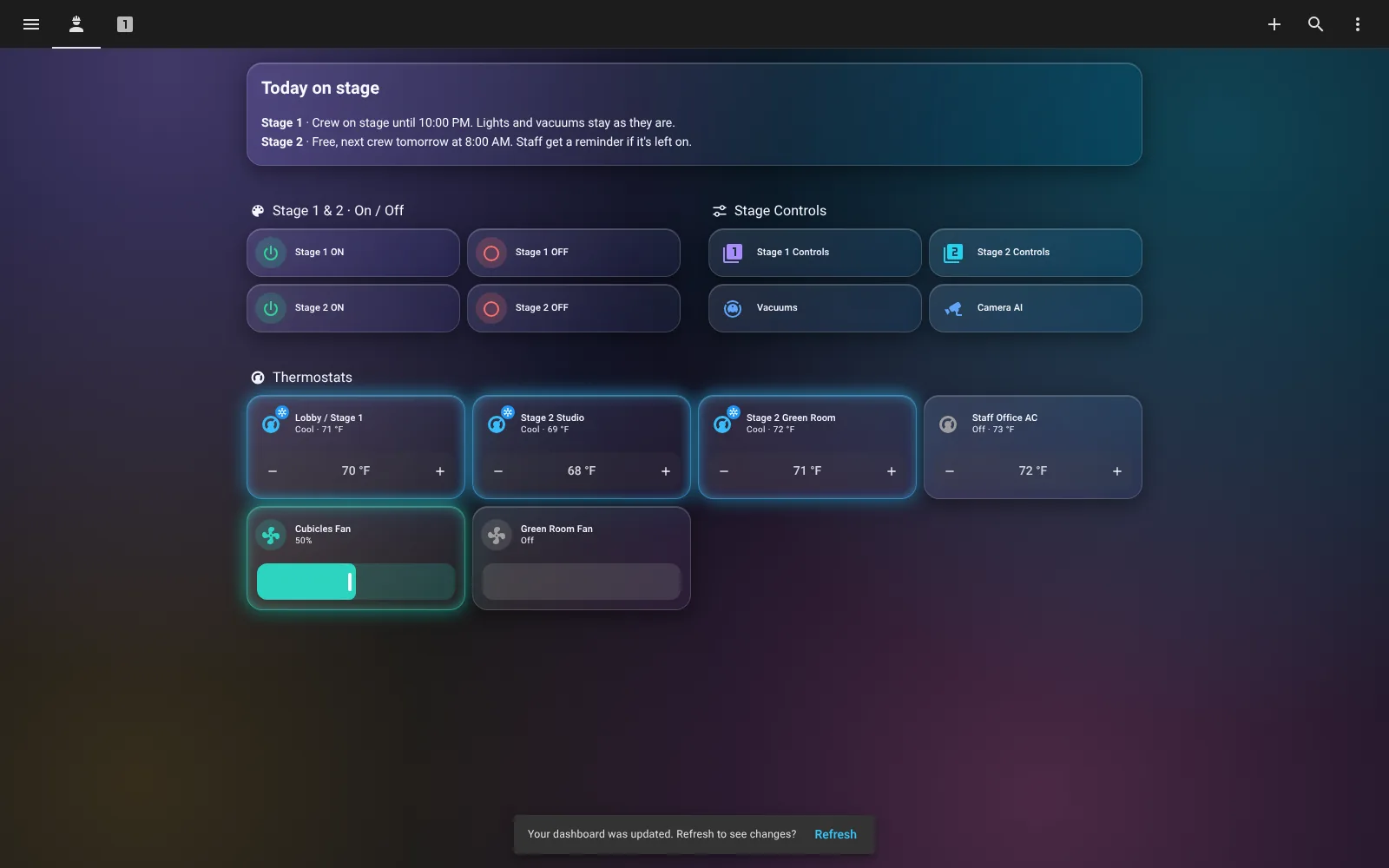
Studio Facility Automation: The staff control panel: today's stage status from the booking calendar, one-tap stage on/off, thermostats and fans.
The staff control panel: today's stage status from the booking calendar, one-tap stage on/off, thermostats and fans.
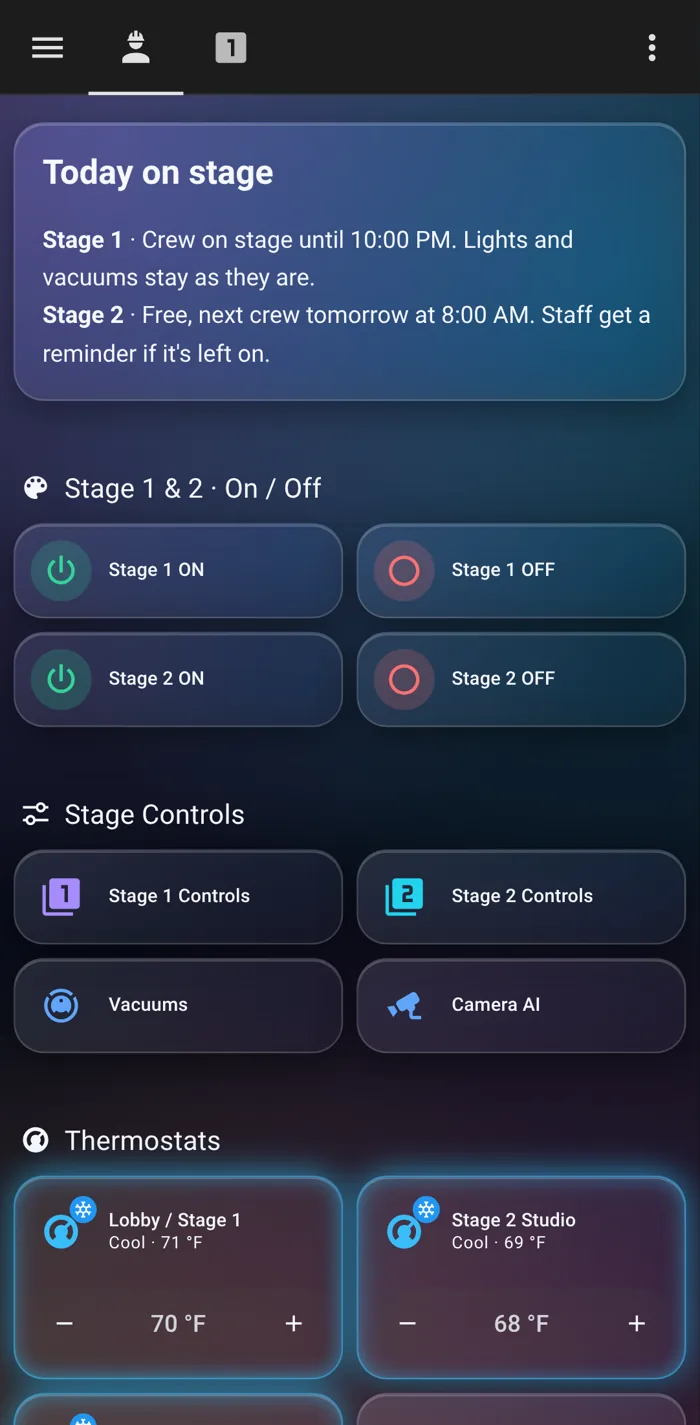
Studio Facility Automation: The same staff panel on a phone.
The same staff panel on a phone.
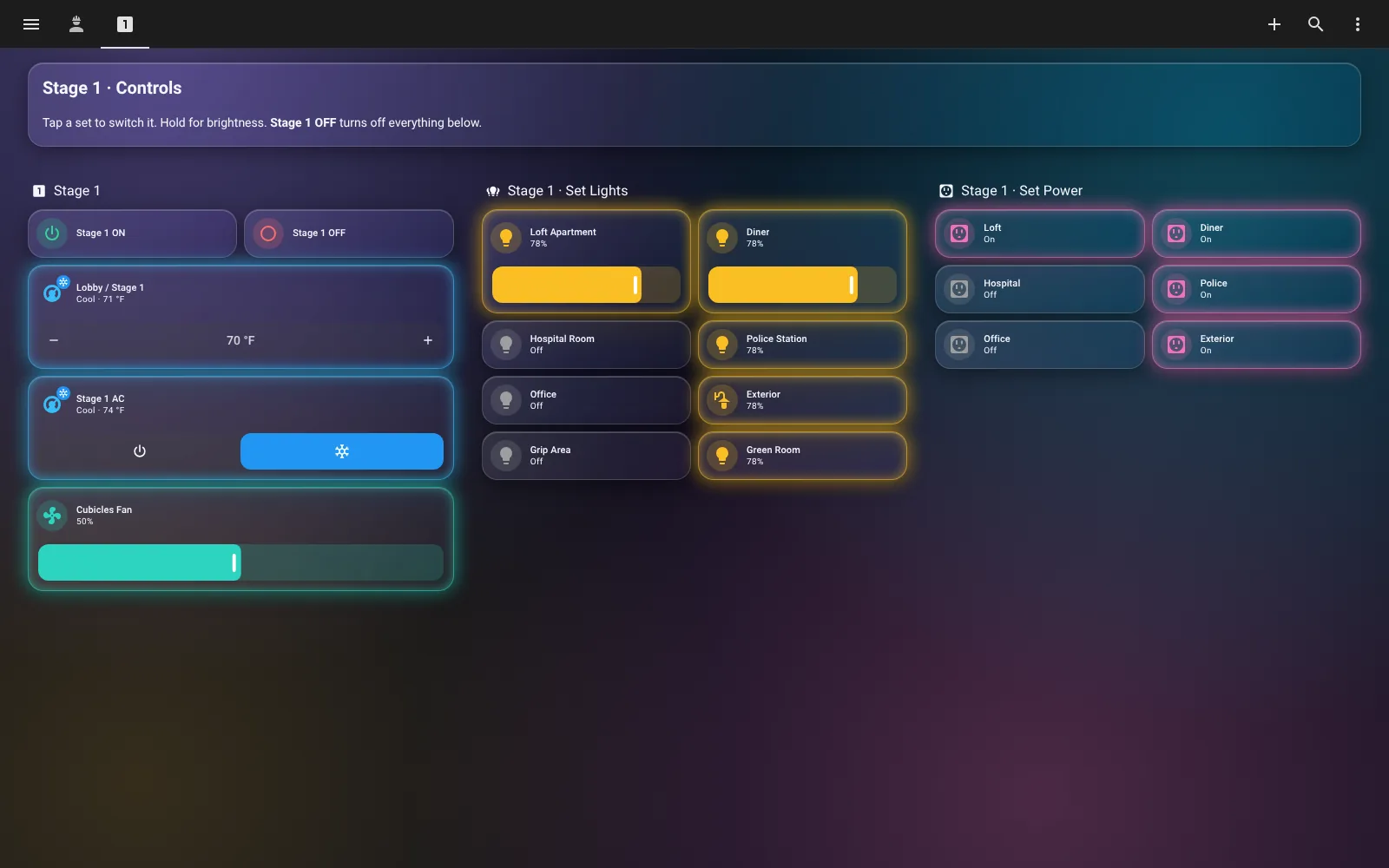
Studio Facility Automation: A stage's controls: set lights with brightness, set power outlets, climate and a fan.
A stage's controls: set lights with brightness, set power outlets, climate and a fan.
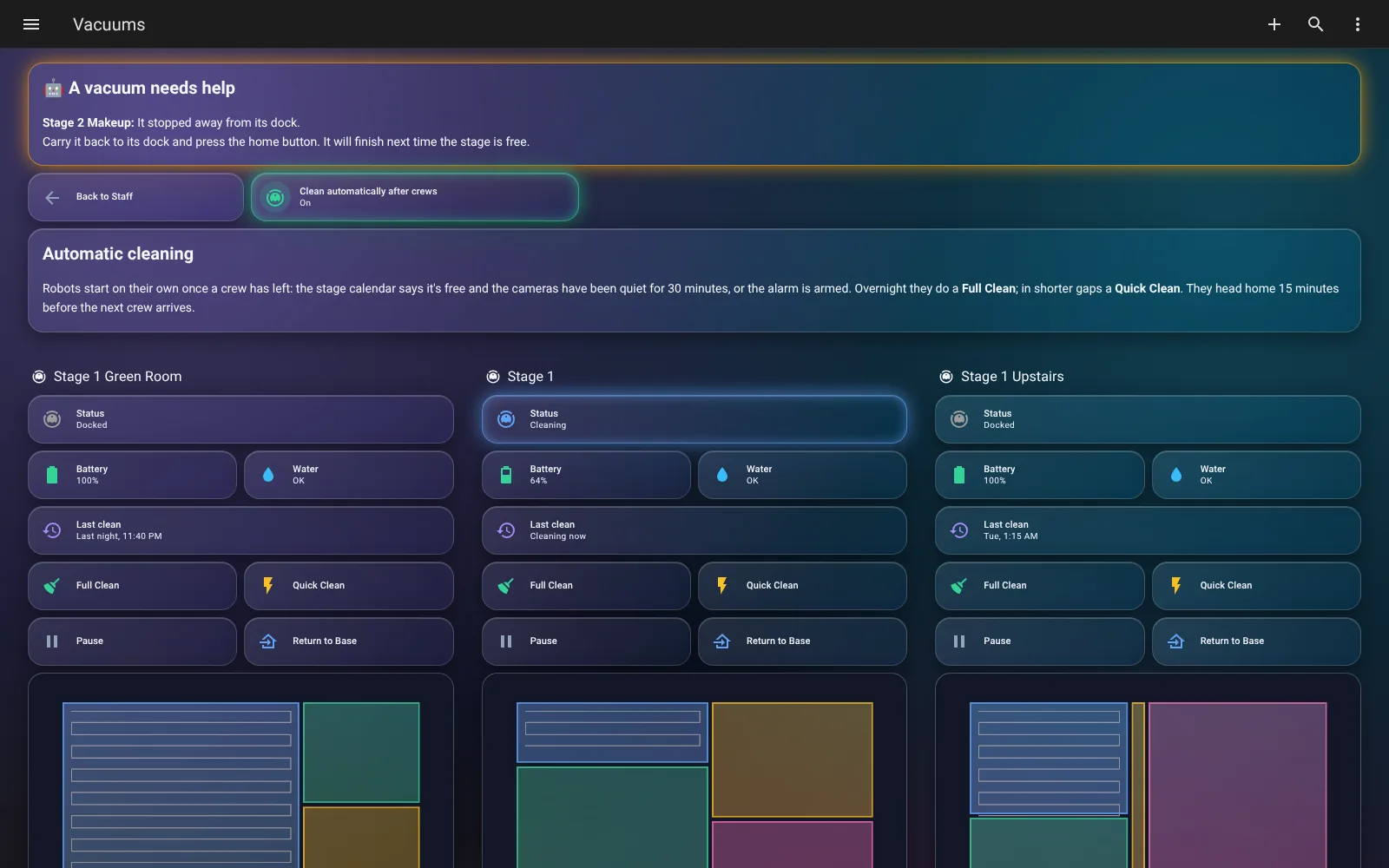
Studio Facility Automation: The robot vacuum screen: a plain-English help note for a stuck robot, the automatic cleaning switch, and each robot's status, battery and controls.
The robot vacuum screen: a plain-English help note for a stuck robot, the automatic cleaning switch, and each robot's status, battery and controls.
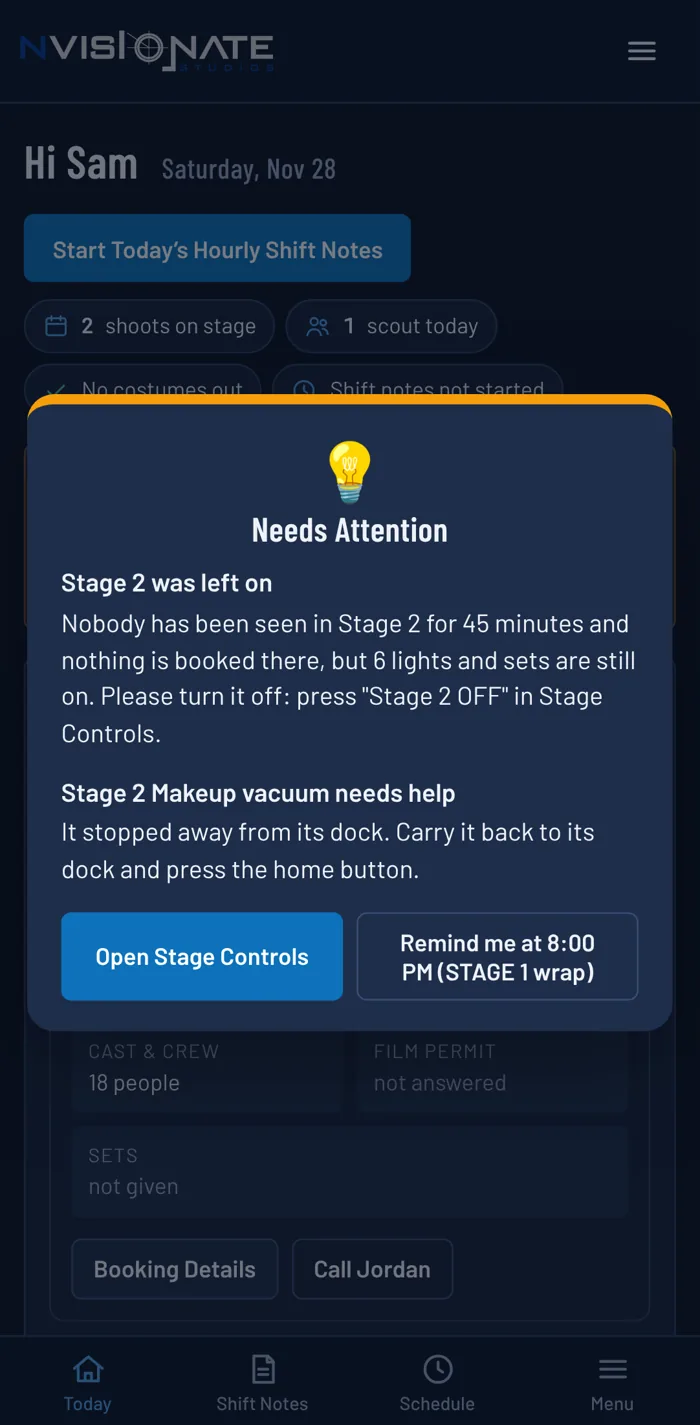
Studio Facility Automation: The alert that pops up for stage managers when a stage is left on or a vacuum needs help, with one tap to fix it or a reminder at the next crew's wrap.
The alert that pops up for stage managers when a stage is left on or a vacuum needs help, with one tap to fix it or a reminder at the next crew's wrap.
Studio · Smart BuildingIn use

Studio Facility Automation

A film studio building that knows when crews leave and cleans up after them.

I built the smart-building system for our two-stage film studio. It reads the studio's booking calendar, so it knows when a stage is booked and when it's free. Once a crew has gone, it notices lights left on and alerts the staff, and it sends the robot vacuums out to clean only the areas that were used, timed to be docked before the next crew arrives. Stage managers get simple touch panels on their phones for lights, power, temperature and alerts. The entire 17,000-square-foot facility has more than 100 automated devices, all controlled from tablets around the studio.

  • Robot vacuums that schedule themselves
  • "Stage left on" detection
  • Touch control panels for staff
  • Building and safety alerts with plain-English fixes
Home AssistantYAML & JinjaCustom JS cardsZ-WaveZigbeeMatterMQTTPHP integration
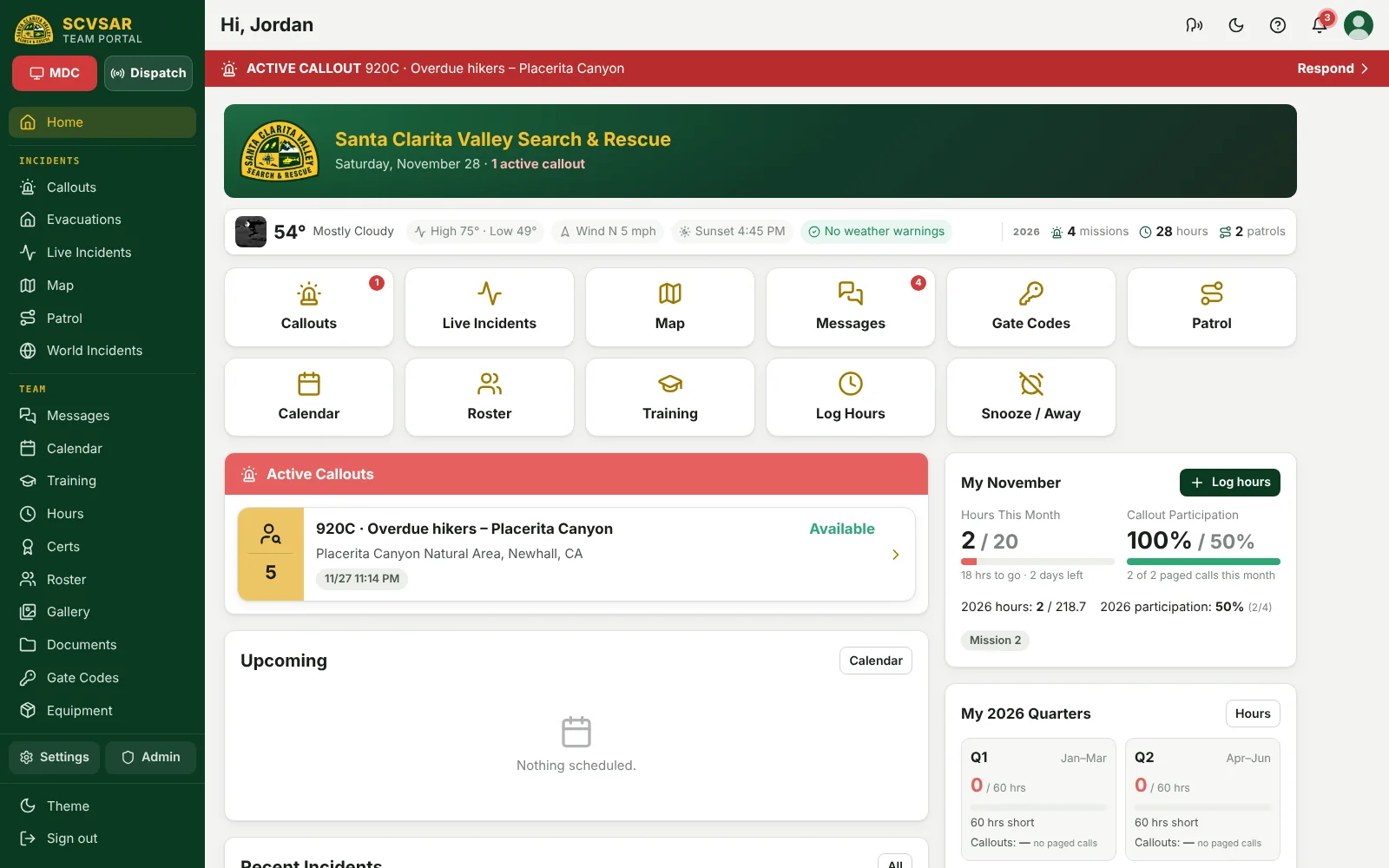
SCVSAR Team Portal: The home dashboard, with an active callout, local weather, quick links and each member's hours and participation.
The home dashboard, with an active callout, local weather, quick links and each member's hours and participation.
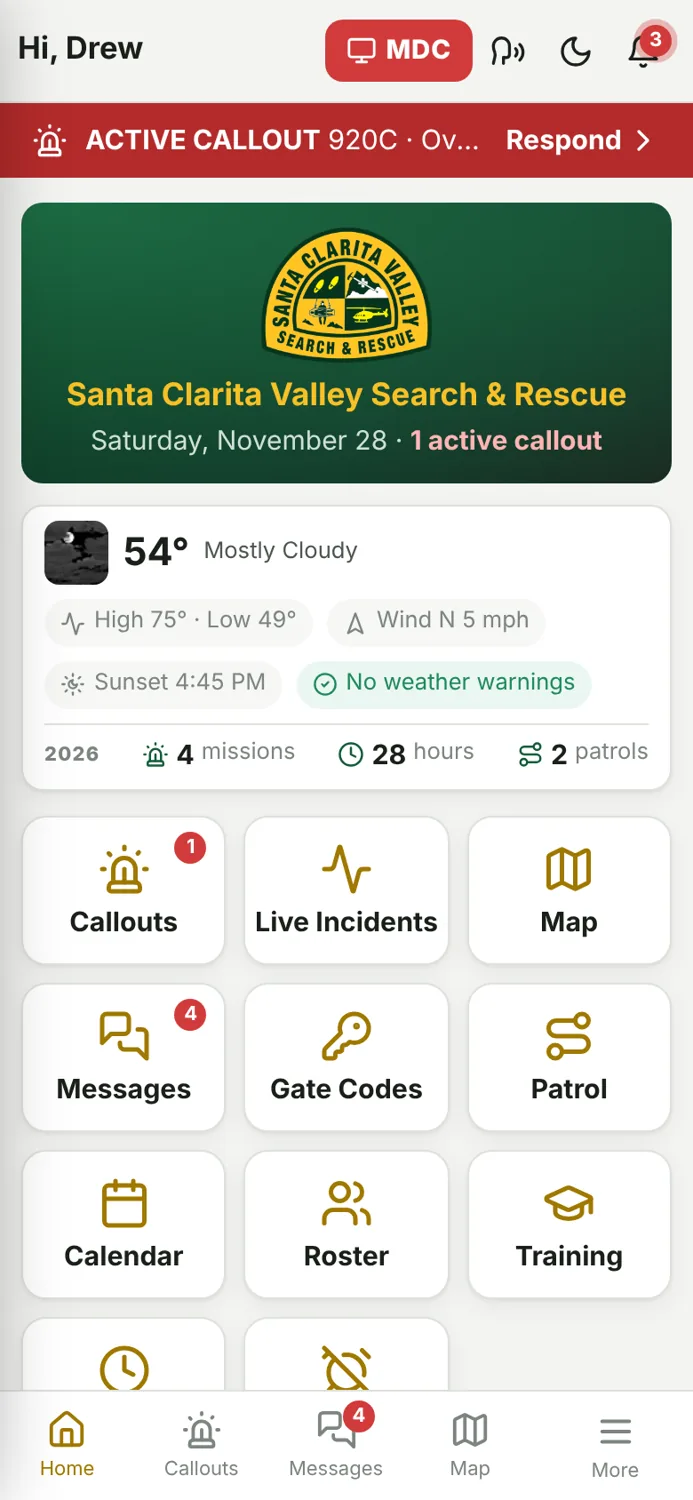
SCVSAR Team Portal: The phone app home screen, with large tiles and a bottom tab bar.
The phone app home screen, with large tiles and a bottom tab bar.
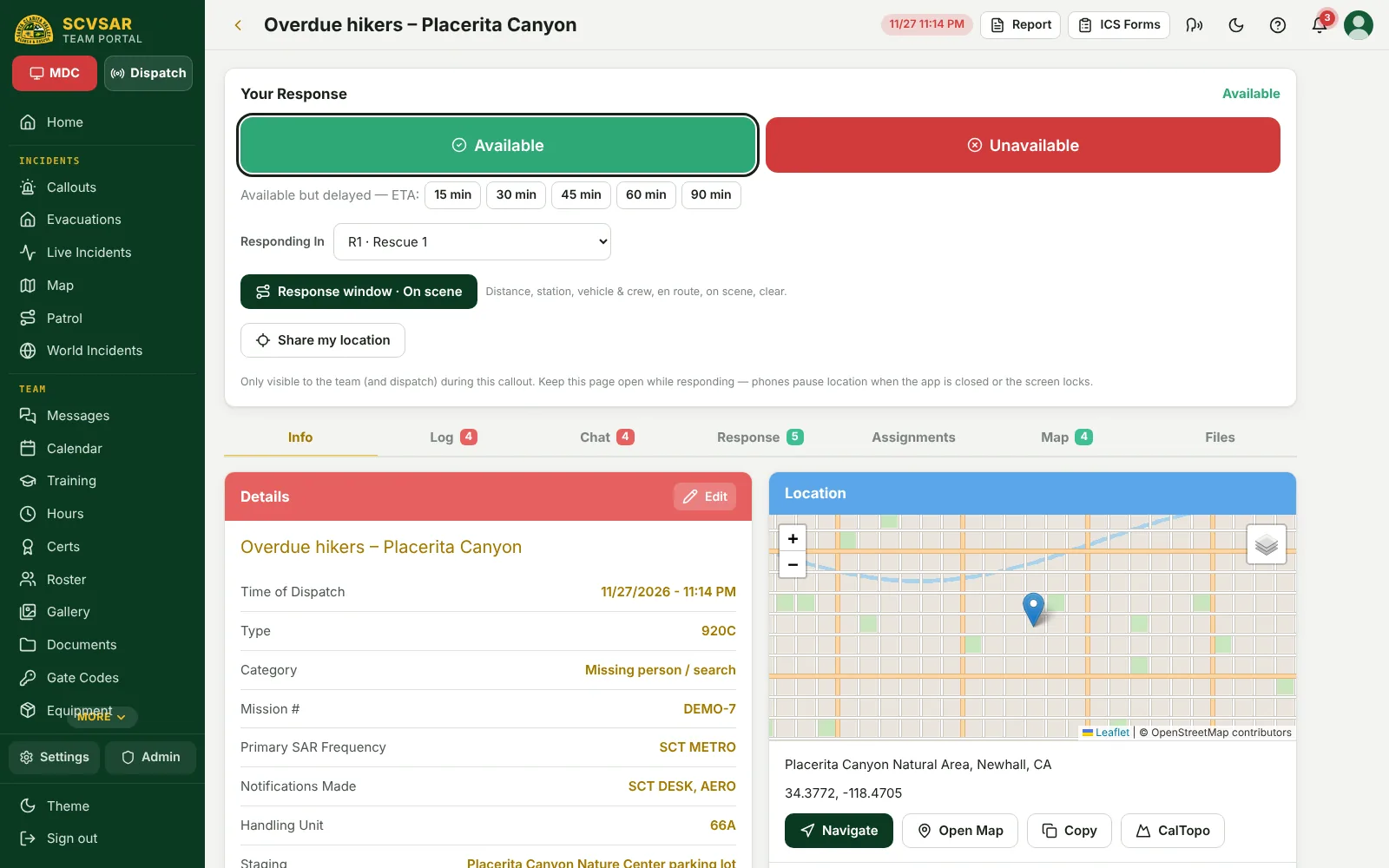
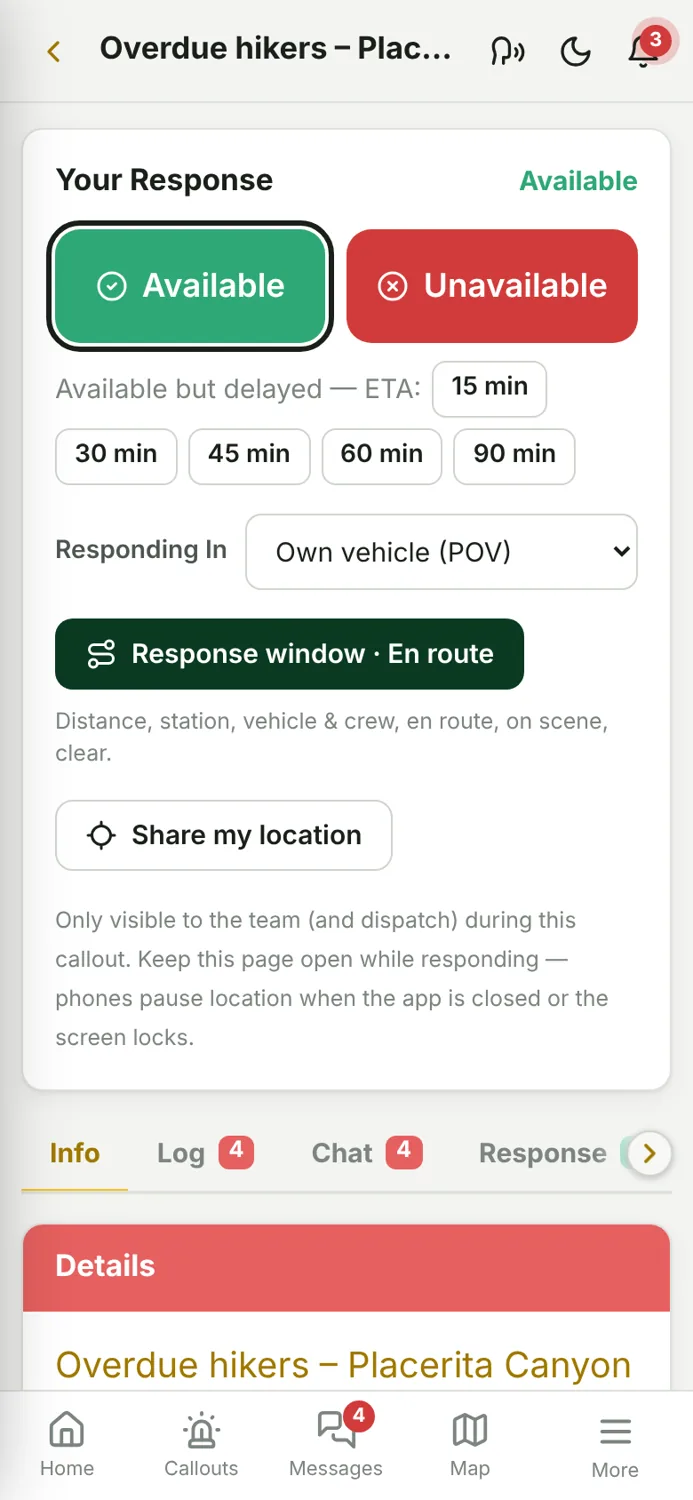
SCVSAR Team Portal: A callout page, where members mark themselves available, pick a vehicle and share their location; mission details and the map sit below.
A callout page, where members mark themselves available, pick a vehicle and share their location; mission details and the map sit below.
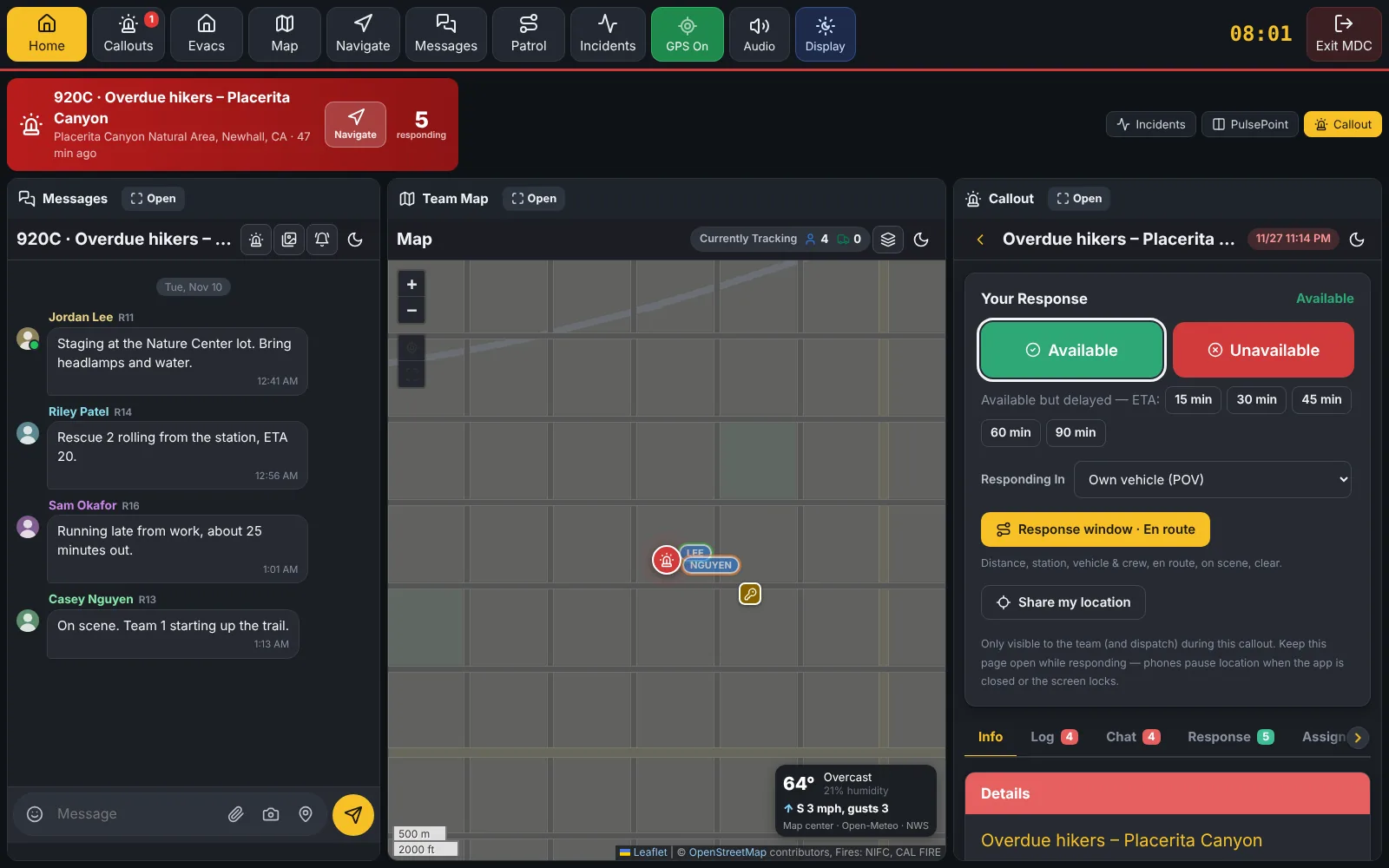
SCVSAR Team Portal: The in-truck tablet (MDC) mode, showing the callout chat, team map and response panel side by side in a dark, large-button layout.
The in-truck tablet (MDC) mode, showing the callout chat, team map and response panel side by side in a dark, large-button layout.
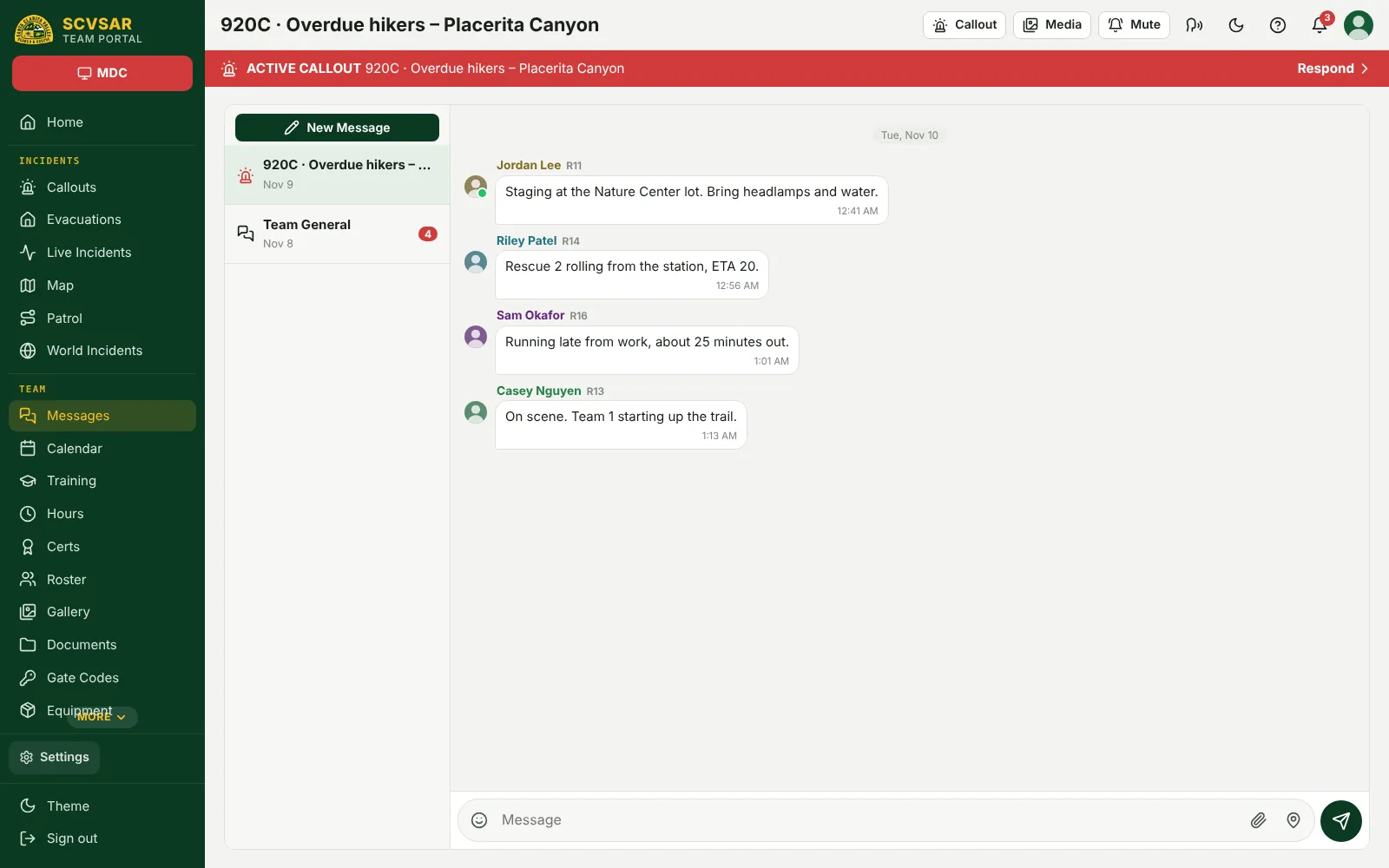
SCVSAR Team Portal: Team messaging, with a callout channel where responders coordinate in real time.
Team messaging, with a callout channel where responders coordinate in real time.
SCVSAR Team Portal: Responding to a callout from the phone app.
Responding to a callout from the phone app.
Search & RescueIn use

SCVSAR Team Portal

Callouts, maps, radio and messaging for a volunteer search & rescue team.

I built the SCVSAR Team Portal for a volunteer search & rescue team. Volunteers used to juggle phone trees, group texts, spreadsheets and paper logs. Now everything lives in one place. When a callout comes in, members get an alert on their phone and can tap to respond. They can see who else is coming, follow each other on a live map, listen to dispatch radio and chat with the team. The same app also runs on tablets in the rescue trucks. Between missions it tracks training, hours, equipment and vehicles.

  • Instant callout alerts with one-tap responses, plus live "en route" and "on scene" updates
  • A rugged in-truck tablet mode (MDC) that shows the callout, team map and chat side by side
  • Live team map with GPS tracking, aircraft, and real-time fire and sheriff incidents
  • Live dispatch radio streamed from the team's own receivers, with automatic alerts when a page goes out
  • Team messaging with photos, GIFs and a channel for each callout
  • Native iPhone and Android apps with CarPlay and Android Auto support
PHPMySQLJavaScript PWACapacitor (iOS & Android)CarPlay / Android AutoLeafletFirebase & APNsTwilioSDR radio
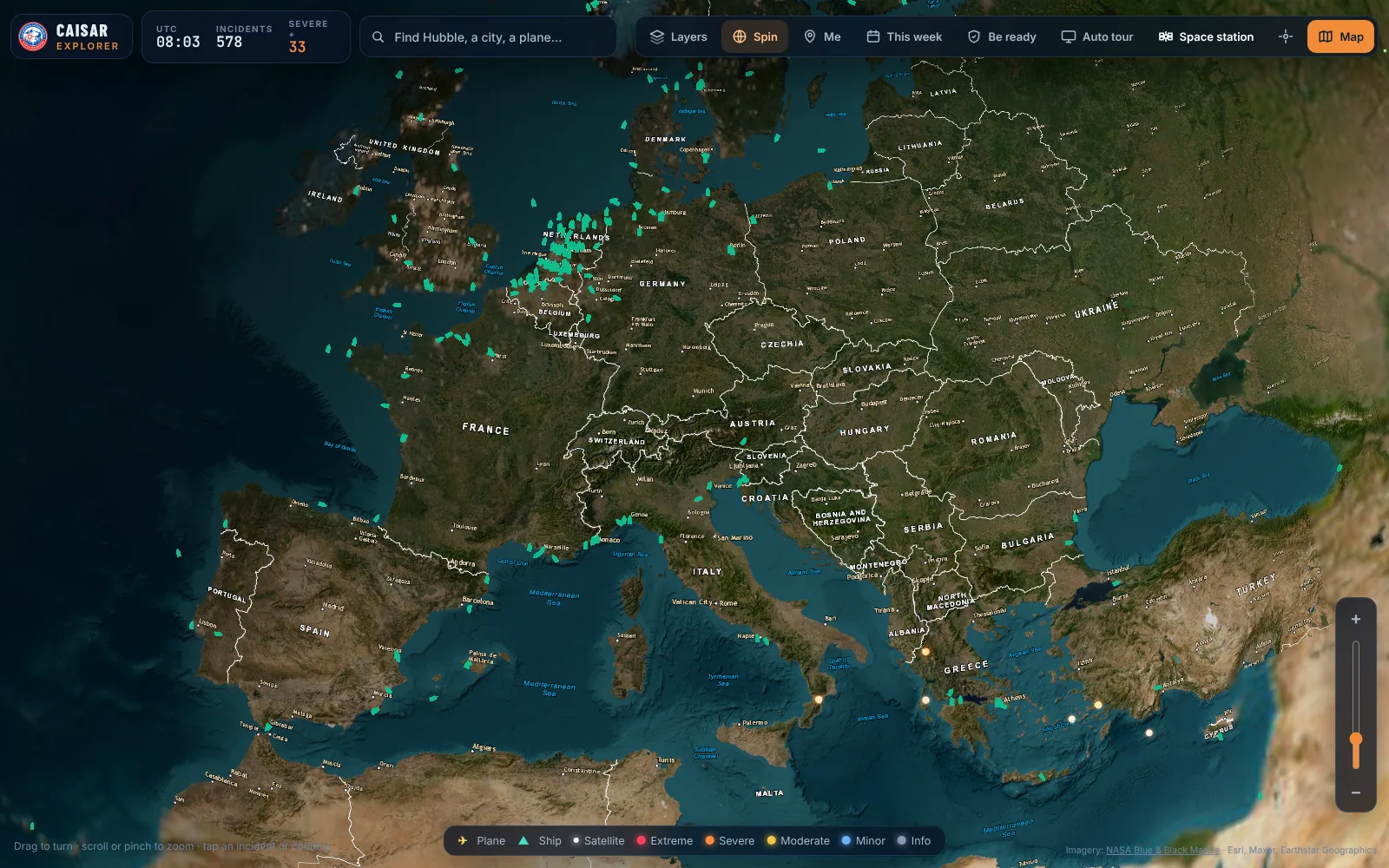
CAISAR Live Map: The 3D globe over Europe, with live ships and real satellite imagery.
The 3D globe over Europe, with live ships and real satellite imagery.
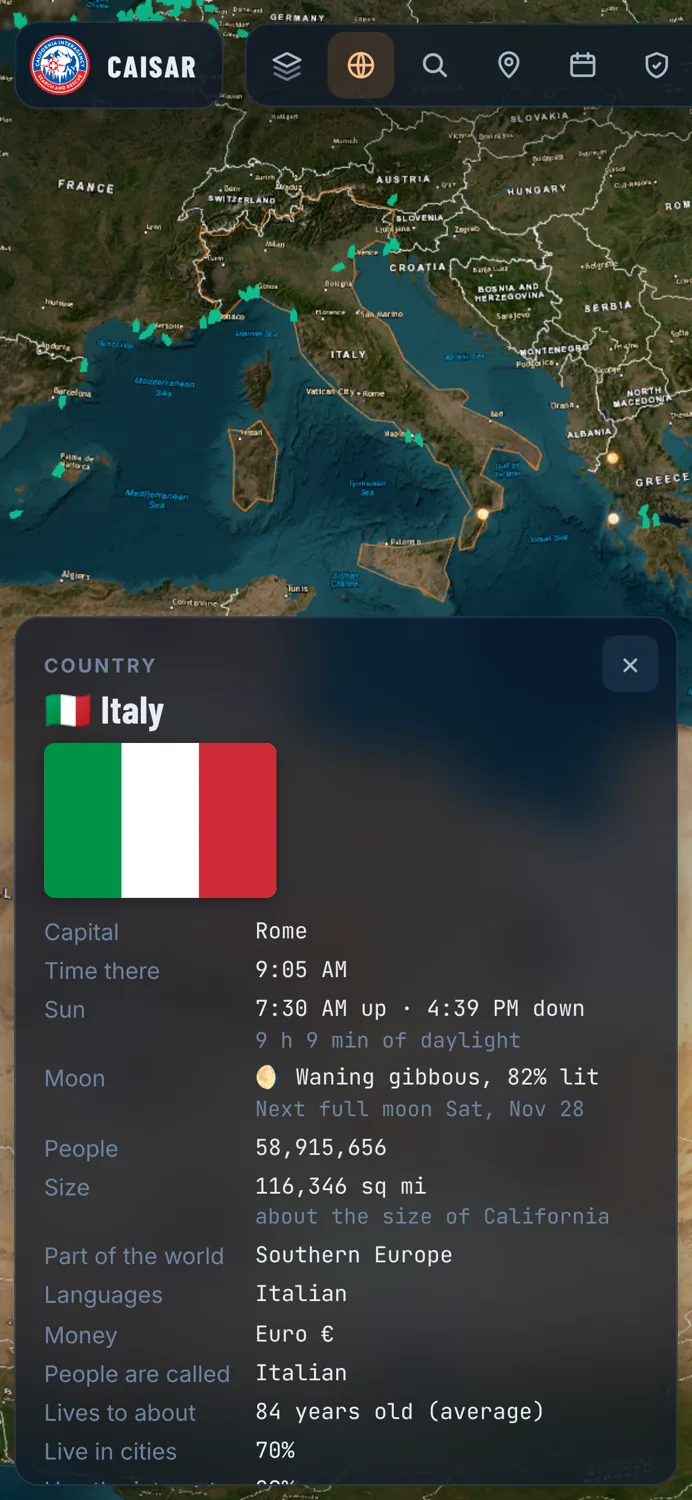
CAISAR Live Map: The kid-friendly Explorer on a phone, showing a country fact card for Italy.
The kid-friendly Explorer on a phone, showing a country fact card for Italy.
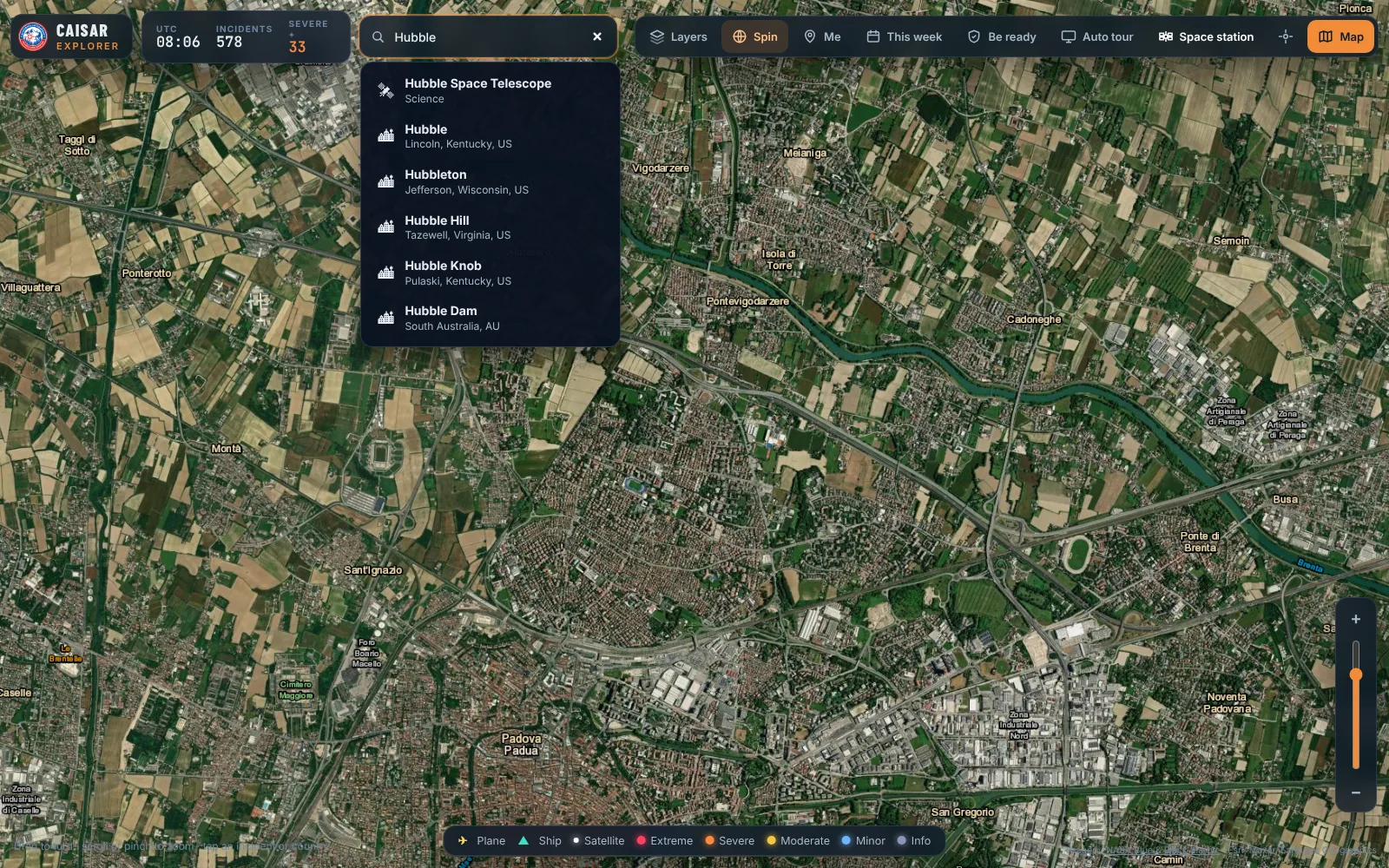
CAISAR Live Map: Zoomed in to street-level satellite imagery in Italy, with search finding the Hubble Space Telescope.
Zoomed in to street-level satellite imagery in Italy, with search finding the Hubble Space Telescope.
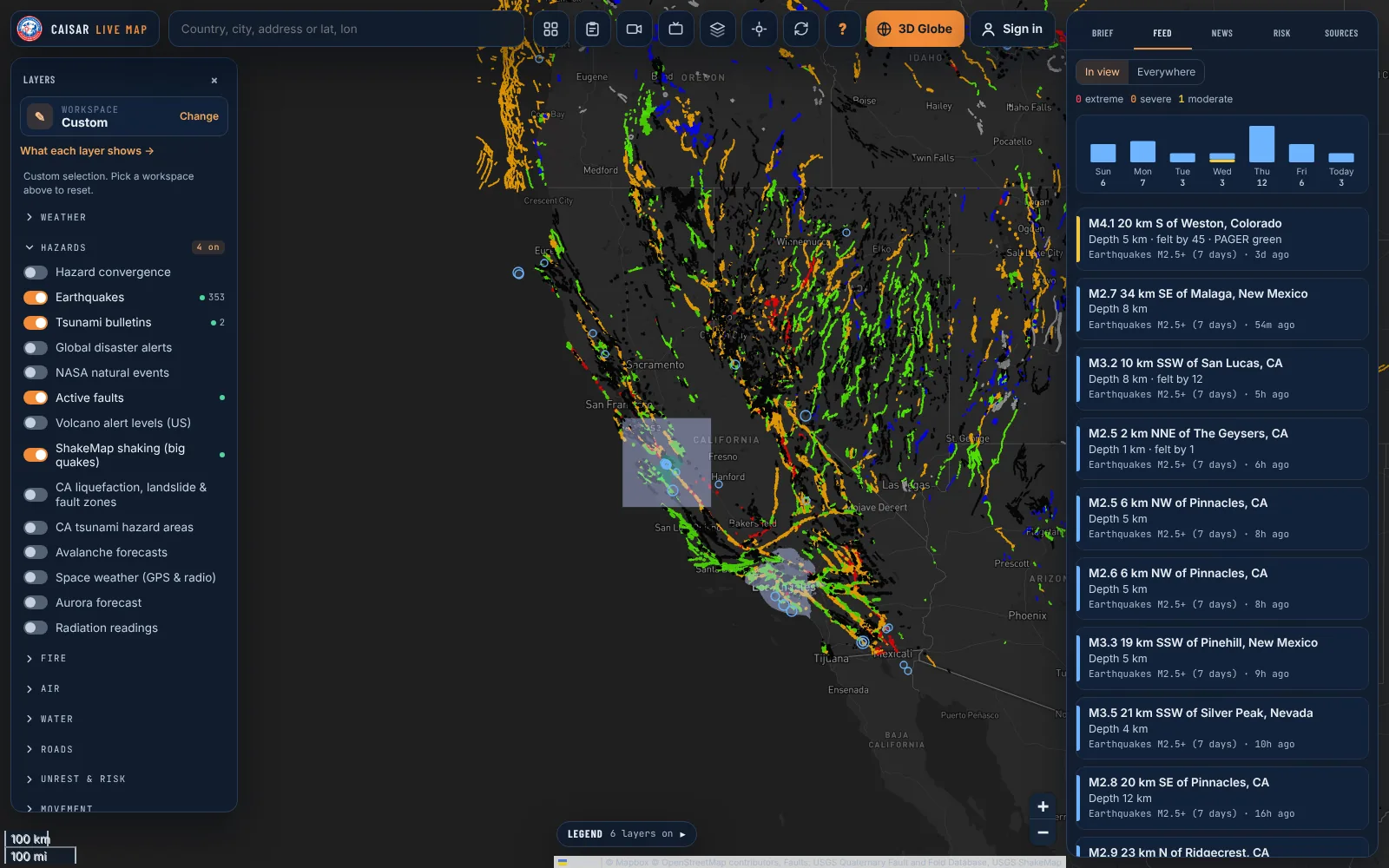
CAISAR Live Map: The live map's earthquake workspace: recent quakes, active fault lines and the live feed.
The live map's earthquake workspace: recent quakes, active fault lines and the live feed.
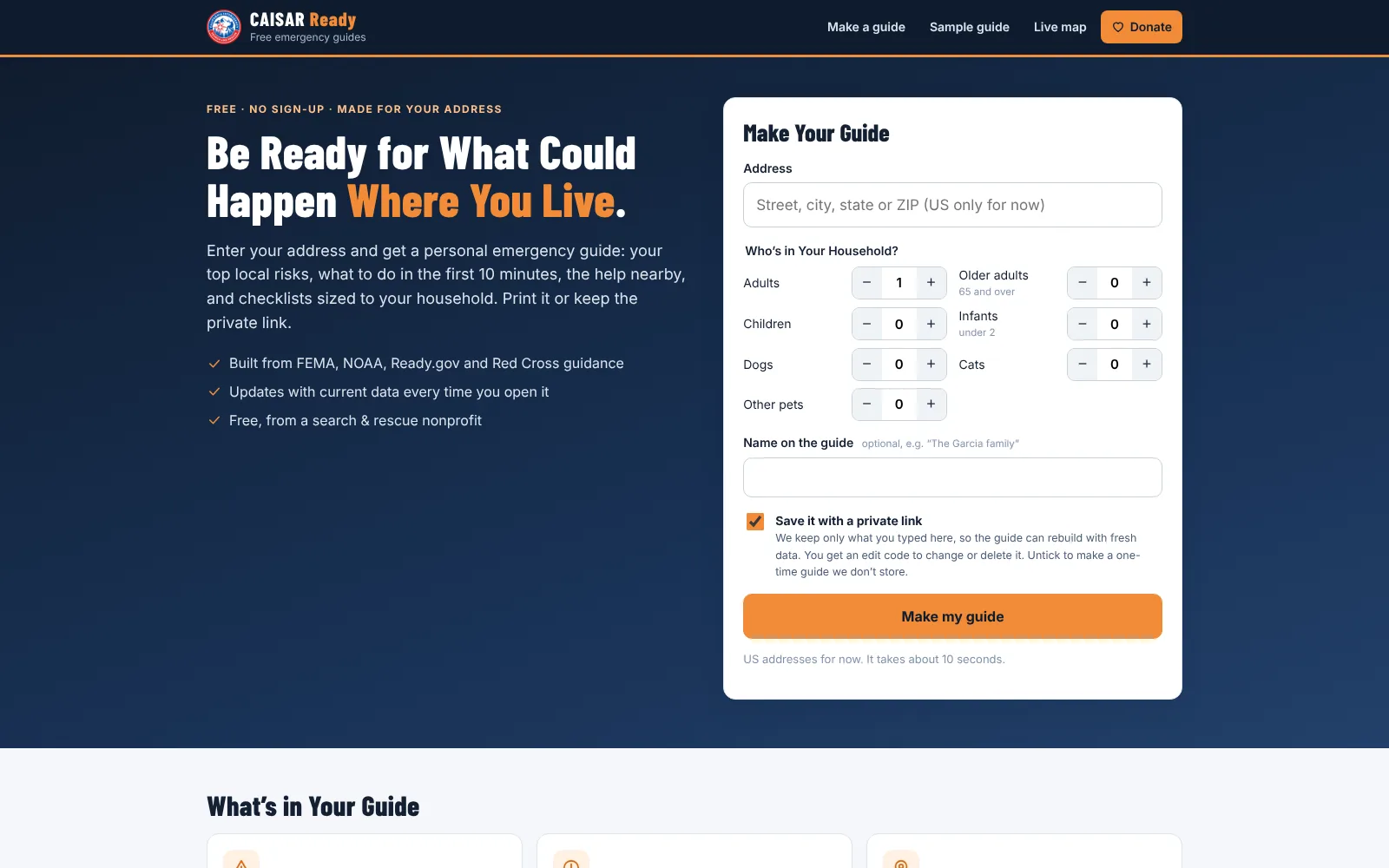
CAISAR Live Map: CAISAR Ready: enter an address and household to get a free, personal emergency guide.
CAISAR Ready: enter an address and household to get a free, personal emergency guide.
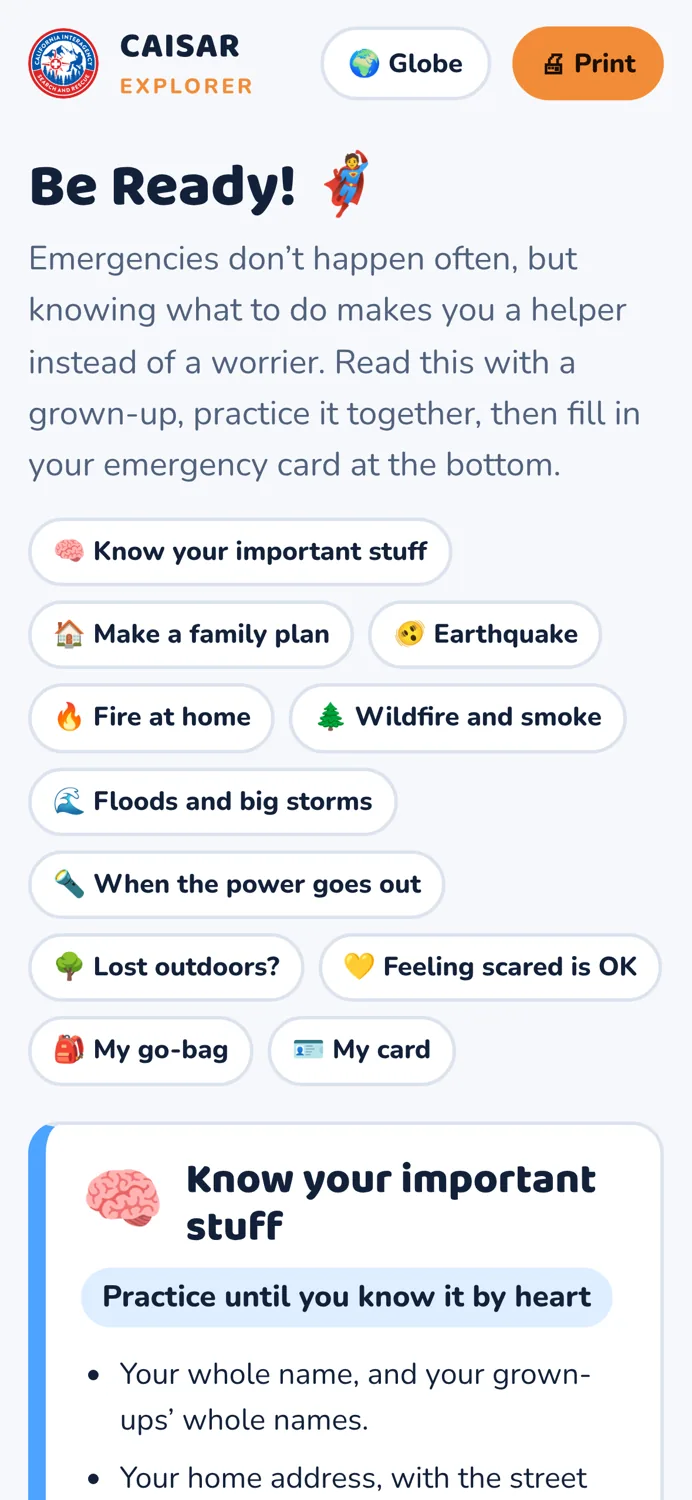
CAISAR Live Map: "Be Ready!", the kids' emergency safety guide.
"Be Ready!", the kids' emergency safety guide.
Emergency Prep · PublicLive

CAISAR Live Map

A free live hazard map, 3D globe and emergency guide for everyone.

I founded CAISAR, a 501(c)(3) nonprofit search and rescue organization that provides resources to other search and rescue teams. For it, I built a free live map that brings dozens of official sources together in one place: earthquakes, wildfires, storms, air quality, road closures and more. It's for search and rescue volunteers who need the full picture fast, and for families who want to be ready. Enter an address and it makes a printable emergency plan for your home. A kid-friendly version turns the same live data into a 3D globe, with satellites, the space station, planes and ships to explore, without the scary news.

  • A live 3D globe with real day and night, satellites, the space station, planes and ships, all moving in real time
  • More than 60 live map layers from official sources, with one-tap workspaces for wildfire, earthquake, flood and search callouts
  • Personal emergency guides for any US address: local risks, nearby help, utility shut-offs and supply lists for your household
  • A kid-friendly Explorer mode with country facts, rocket launches, an auto tour and a "Be Ready!" safety guide
  • Installs as an app on phones and tablets, with alerts and maps saved for use with no connection
  • Detailed satellite imagery you can zoom into, plus search for satellites, flights, ships and places
PHPMySQLJavaScriptthree.js & WebGLLeafletsatellite.jsPWA
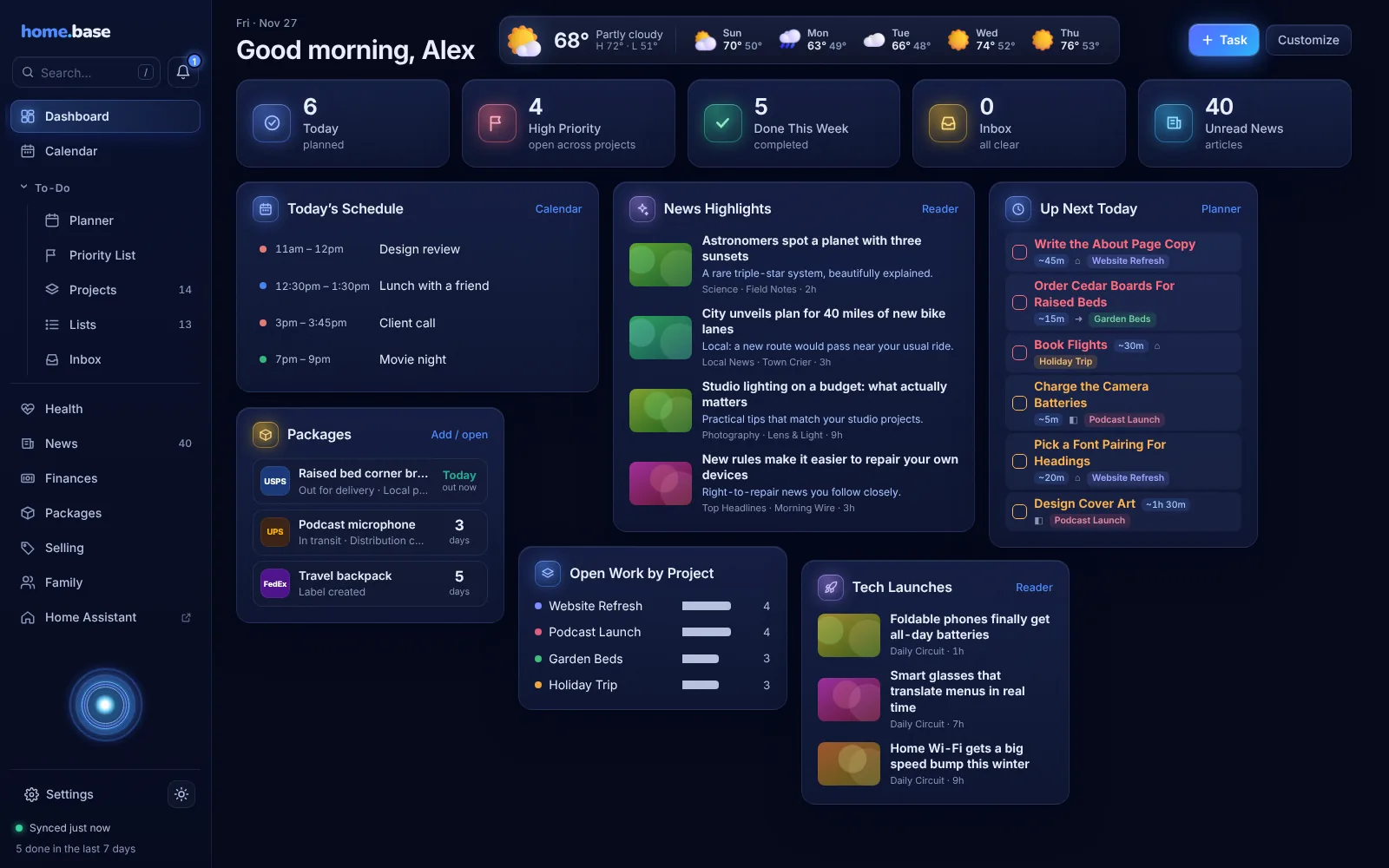
Home Base: The dashboard: today's schedule, weather, highlighted news, up-next tasks and packages at a glance.
The dashboard: today's schedule, weather, highlighted news, up-next tasks and packages at a glance.
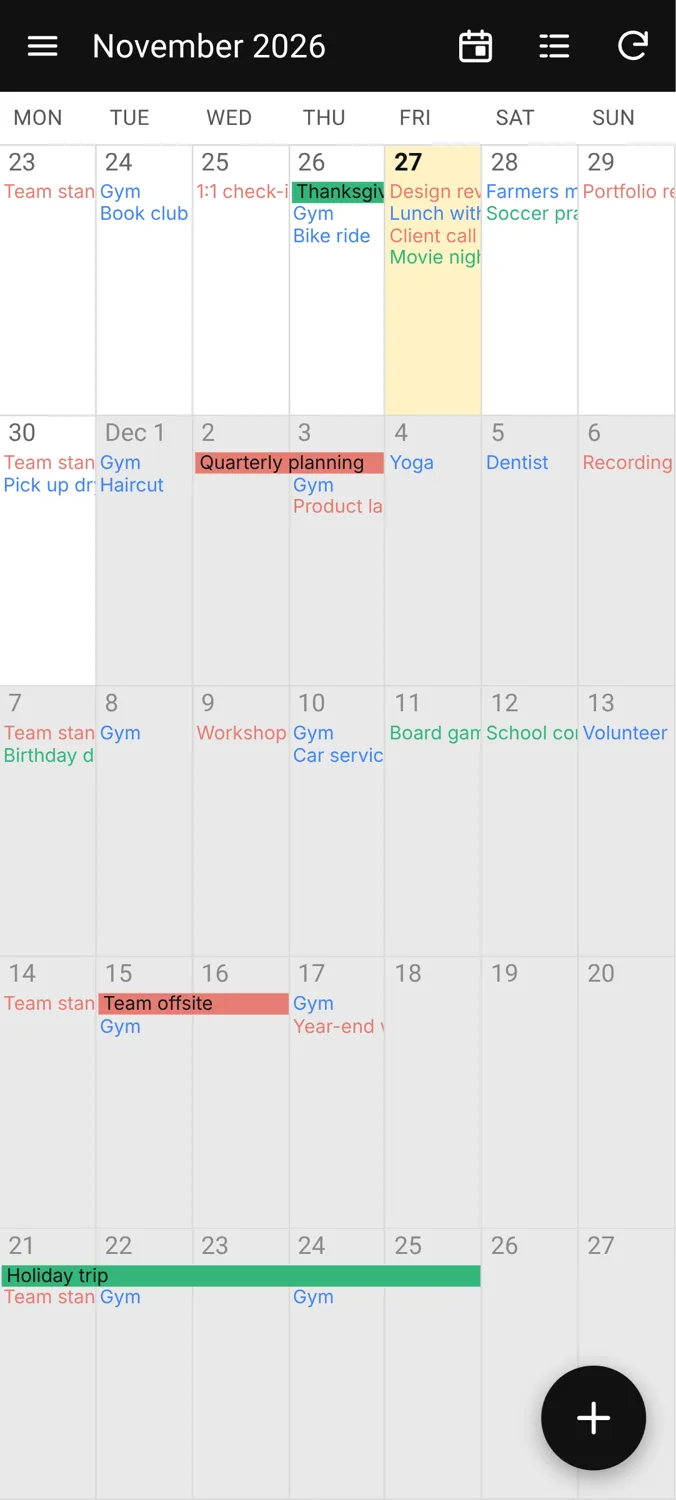
Home Base: The phone calendar, which scrolls continuously through the weeks.
The phone calendar, which scrolls continuously through the weeks.
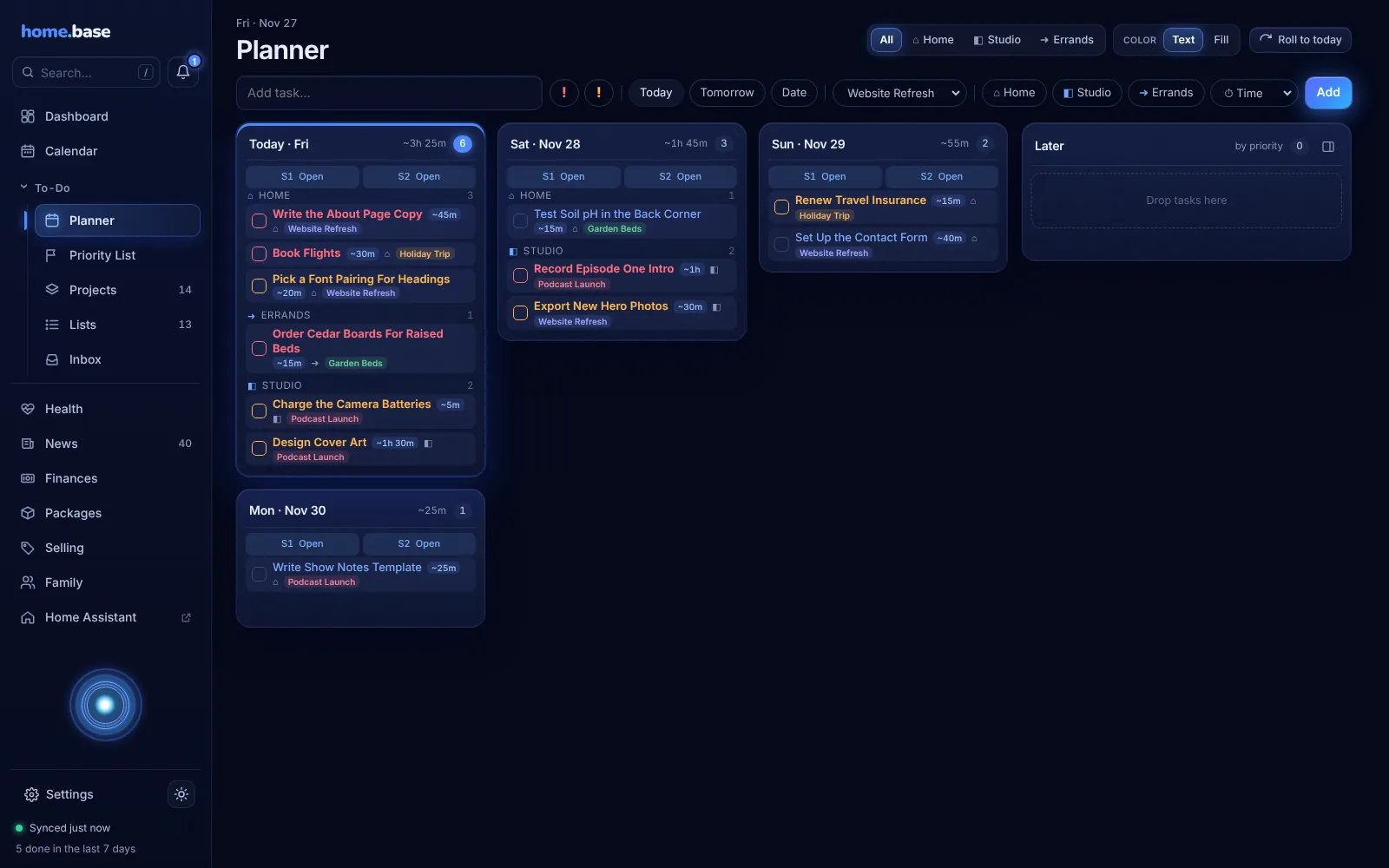
Home Base: The planner lays out the next few days and groups each day's tasks by home, studio and errands.
The planner lays out the next few days and groups each day's tasks by home, studio and errands.
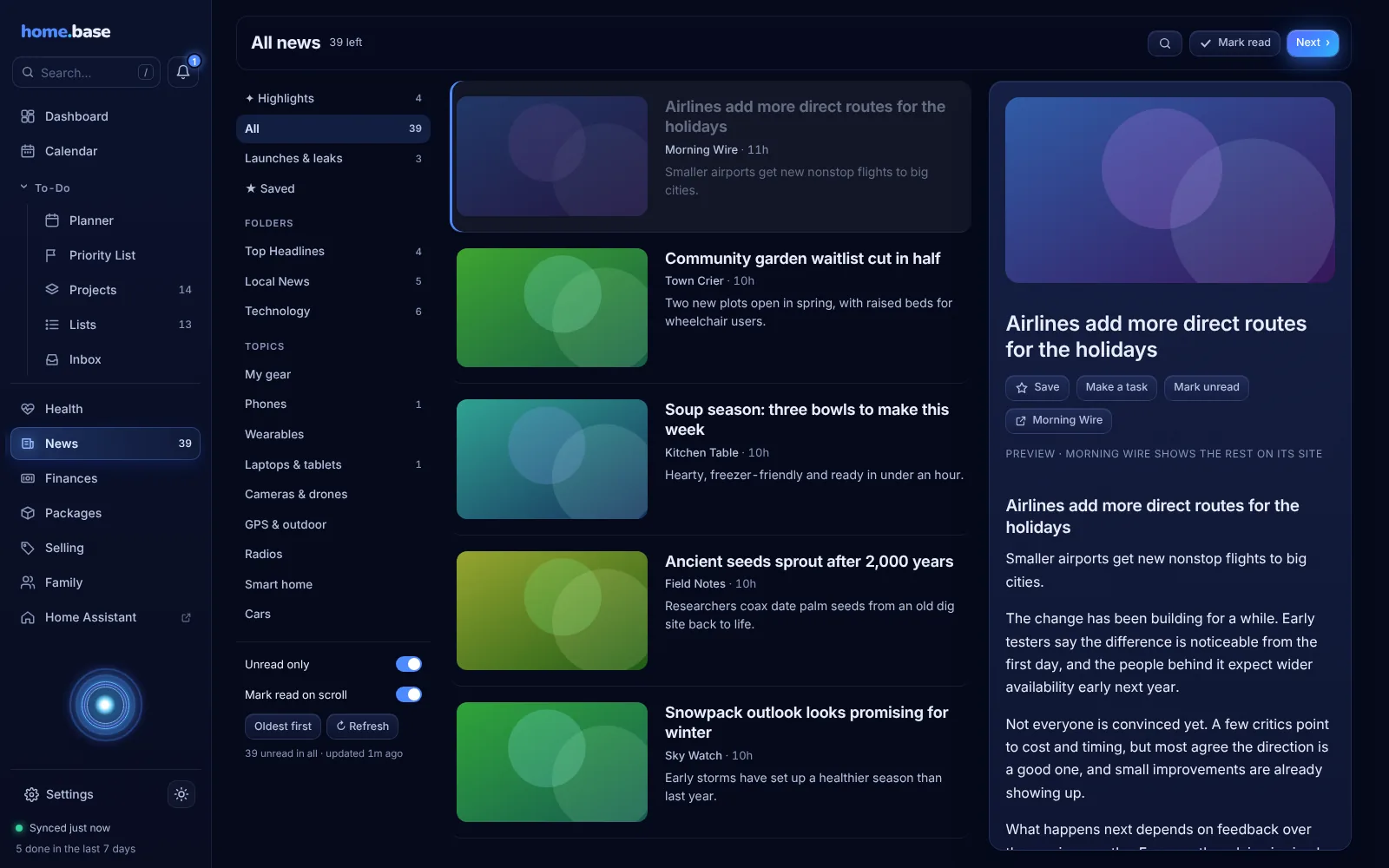
Home Base: The news reader: sources and topics on the left, stories in the middle, a clean reading view on the right.
The news reader: sources and topics on the left, stories in the middle, a clean reading view on the right.
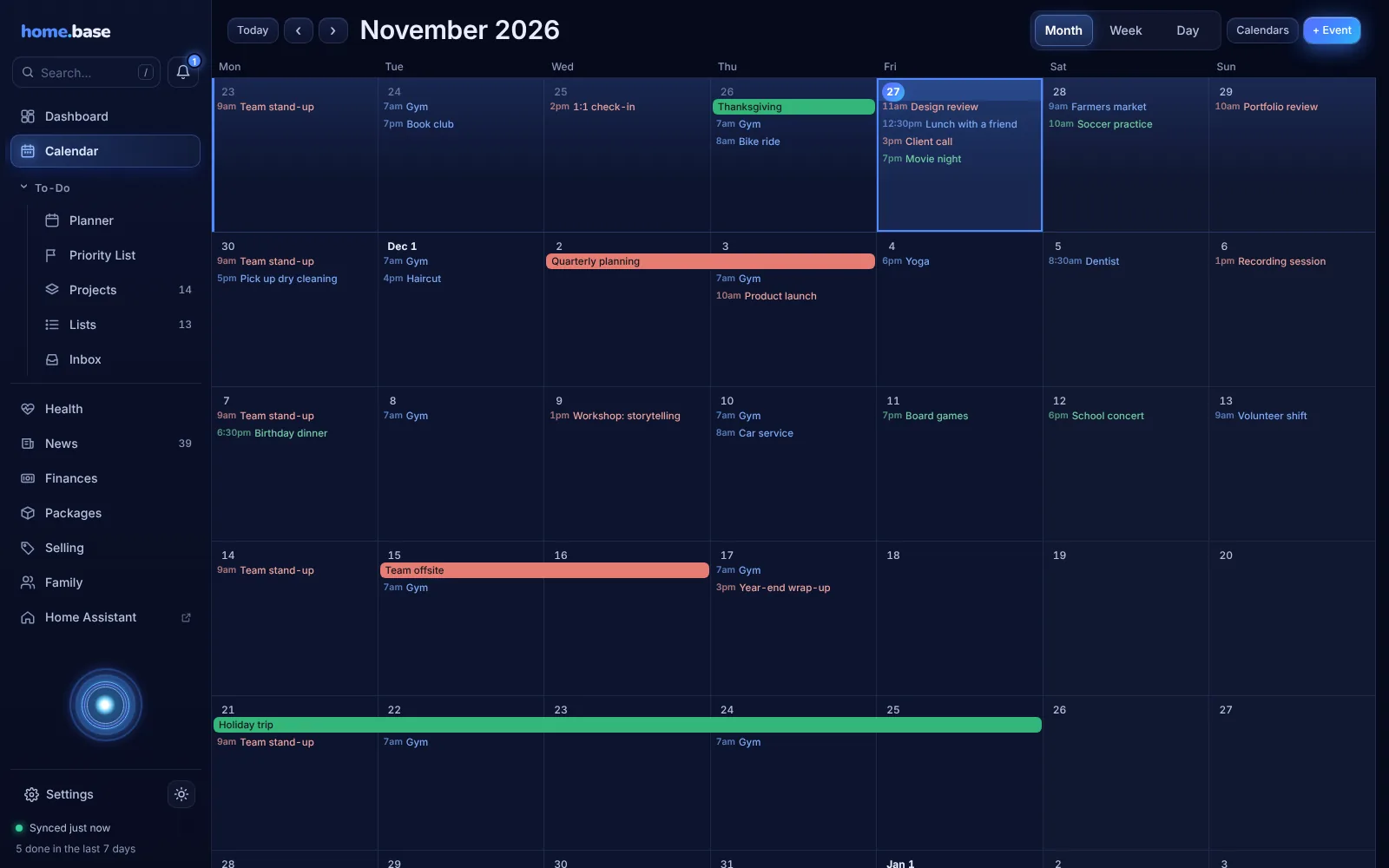
Home Base: A full month view of my calendar, synced both ways with Google Calendar.
A full month view of my calendar, synced both ways with Google Calendar.
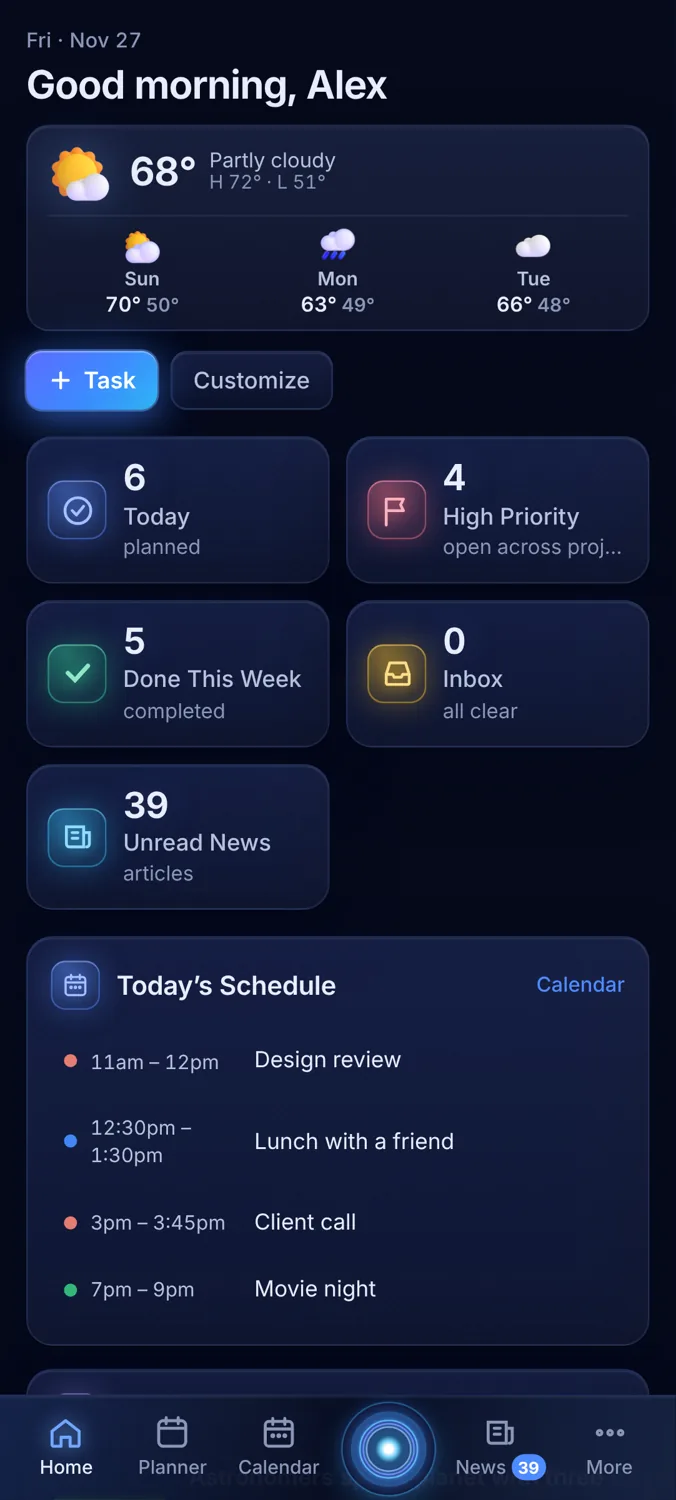
Home Base: The dashboard on a phone, with the voice assistant in the bottom bar.
The dashboard on a phone, with the voice assistant in the bottom bar.
ProductivityPrivate

Home Base

My whole day (tasks, calendar, news and errands) on one calm screen.

I built Home Base as my personal command center: one app that holds my to-do lists, calendar, news and the small things that make up a busy day. It's for me first, someone juggling home projects, studio work and family plans who got tired of jumping between half a dozen apps. Each morning it shows what's planned, what's next and what's on the calendar. It pulls my news into one reader and flags the few stories worth reading. It works on my laptop, my phone and my watch, and I can talk to it.

  • A dashboard that greets me with today's schedule, weather, top tasks and highlighted news, all in cards I can rearrange
  • A day-by-day planner that sorts tasks by where I'll be (home, studio or out on errands), with time estimates
  • A built-in news reader with sources and topics on the side, a clean reading view, and highlighted top stories
  • Two-way Google Calendar sync, plus a separate phone calendar that scrolls week by week
  • A voice assistant I can ask to add tasks, check the weather or read my agenda
  • Package tracking, reminders and push notifications, plus a companion watch app
PHP 8MySQLJavaScriptPWA & Web PushWear OSElevenLabs voiceGoogle Calendar API
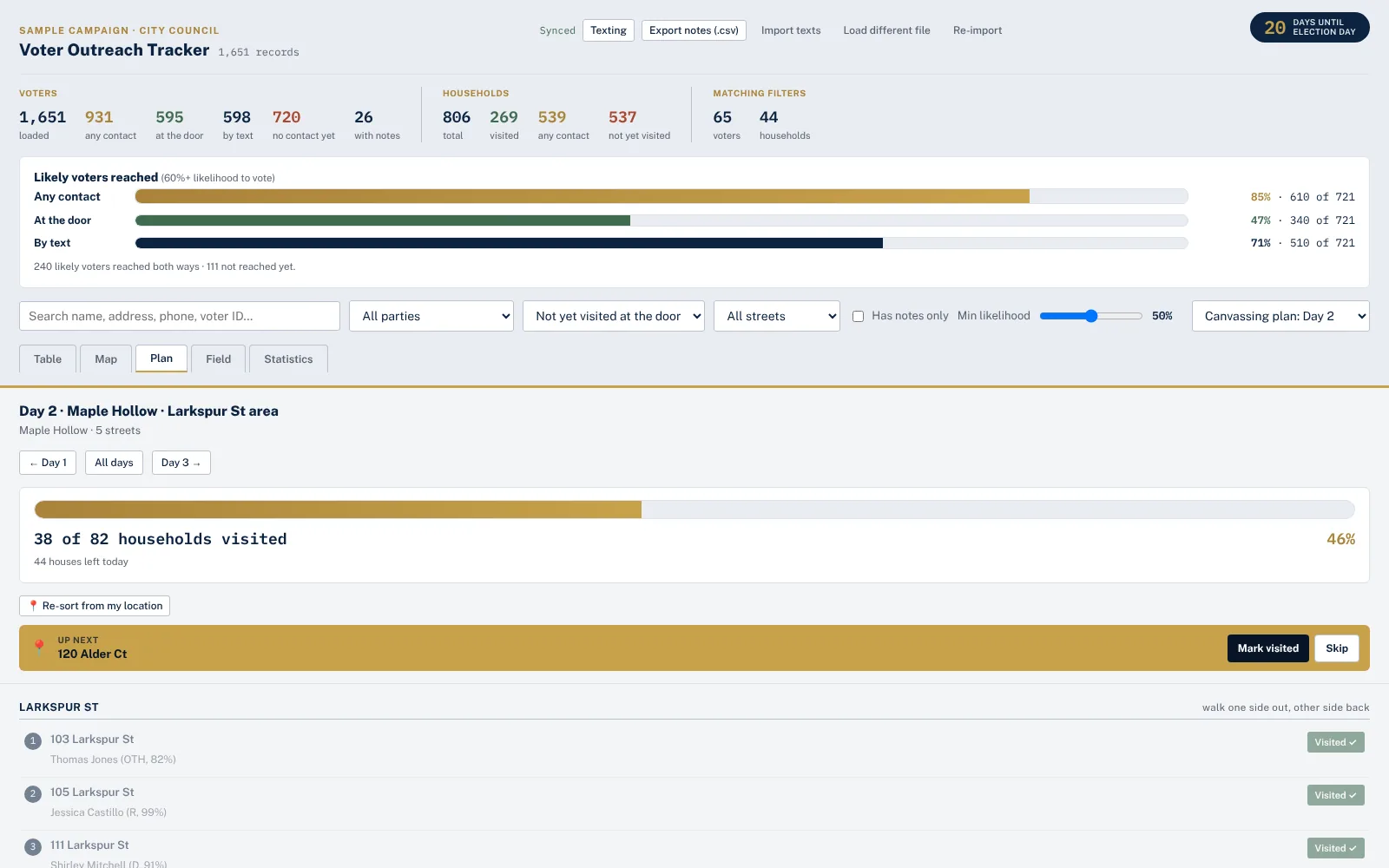
Voter Outreach Tracker: The day's plan, with campaign-wide totals and progress toward likely voters reached by door and text
The day's plan, with campaign-wide totals and progress toward likely voters reached by door and text
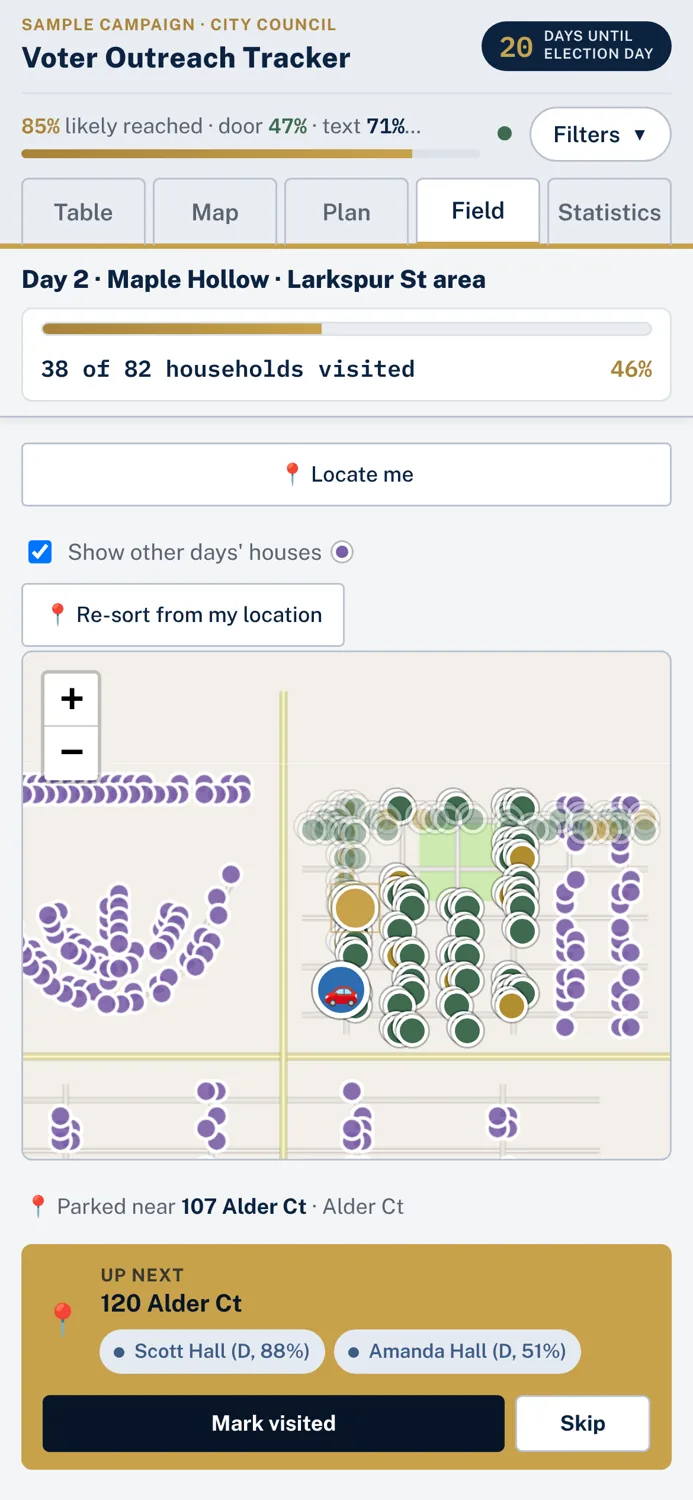
Voter Outreach Tracker: Field mode on a phone: who lives at the next door, with one-tap Mark visited or Skip
Field mode on a phone: who lives at the next door, with one-tap Mark visited or Skip
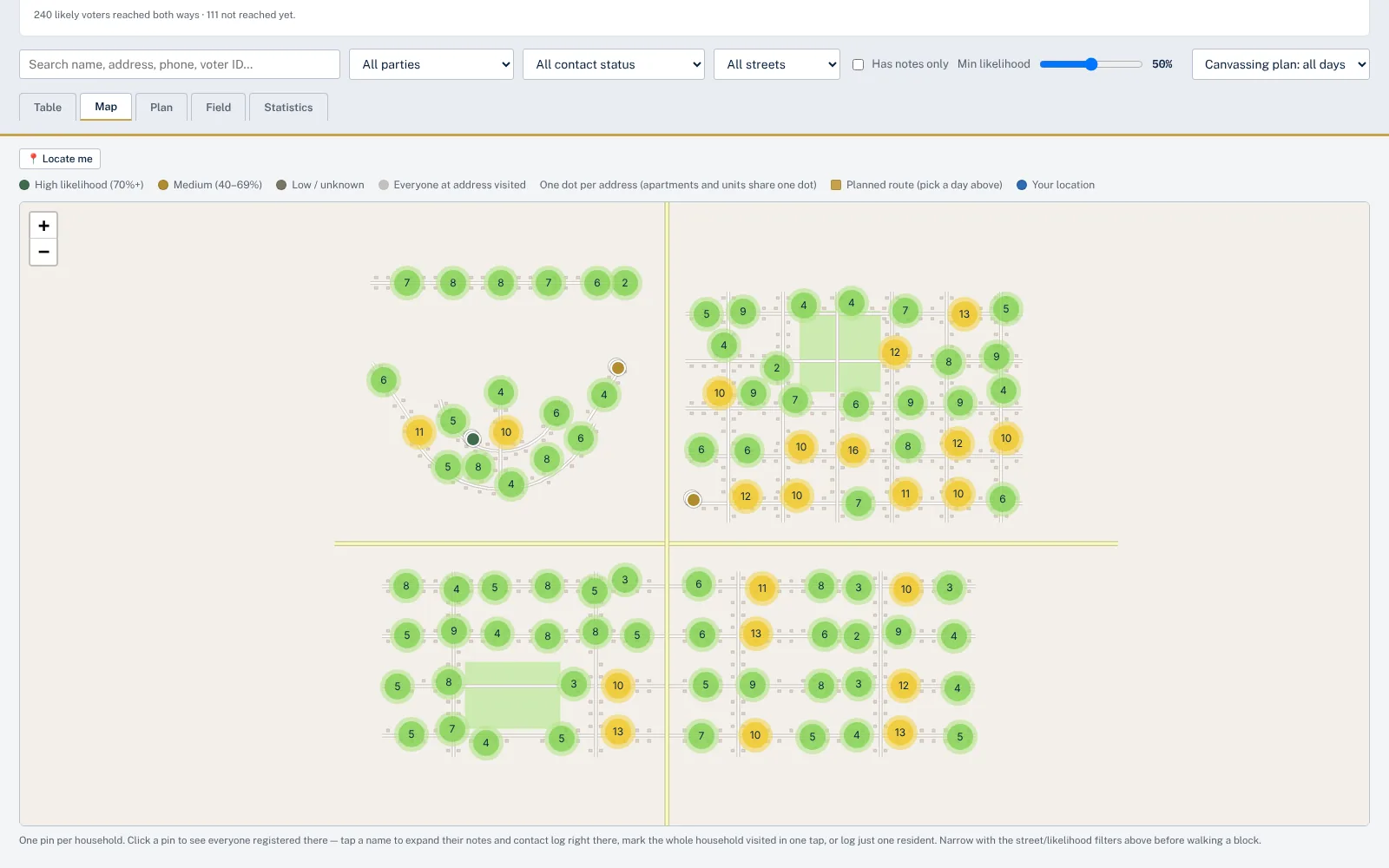
Voter Outreach Tracker: Every household on one map, clustered and colored by likelihood to vote
Every household on one map, clustered and colored by likelihood to vote
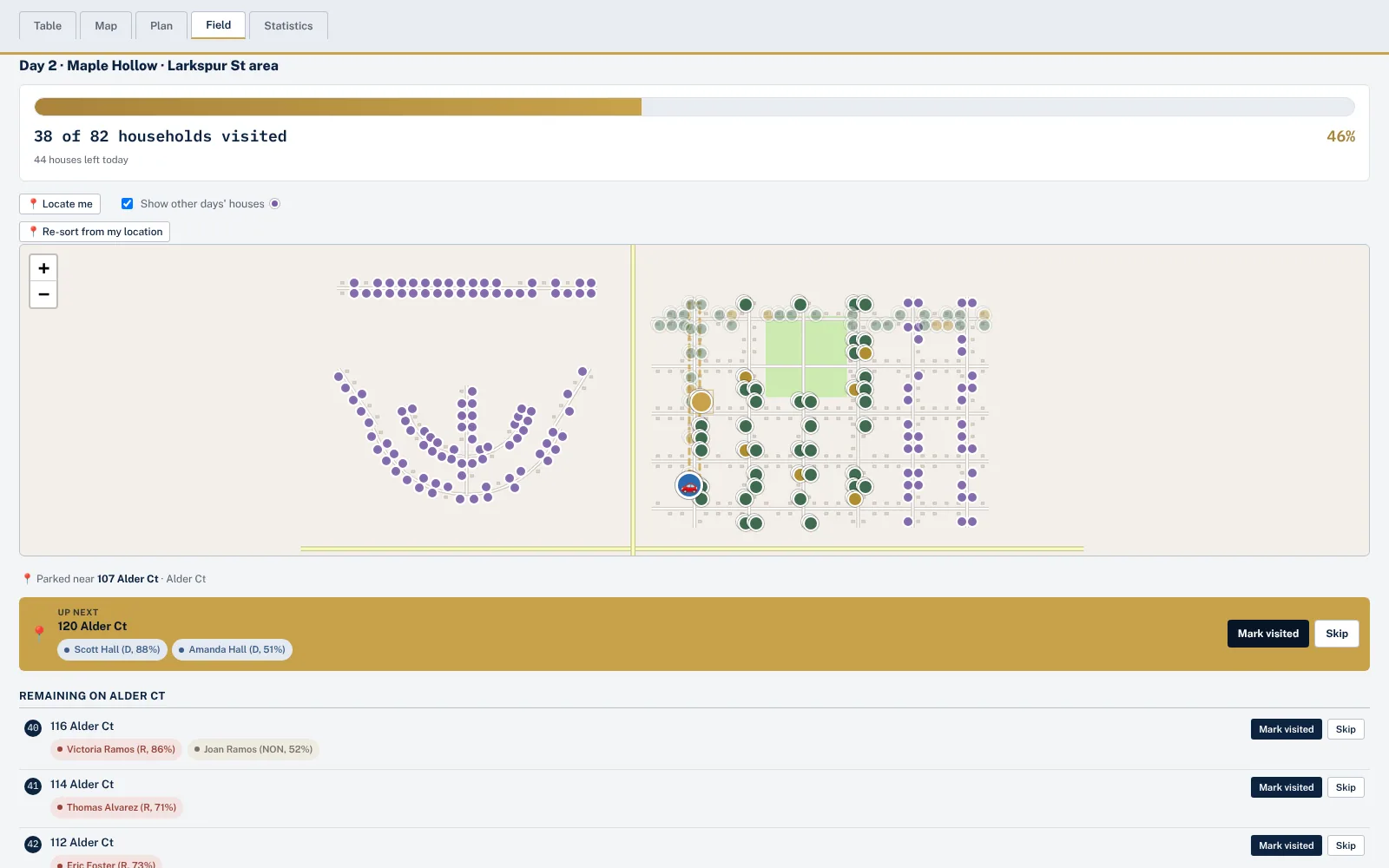
Voter Outreach Tracker: Field mode: today's route on the map, my location, and the next door to knock
Field mode: today's route on the map, my location, and the next door to knock
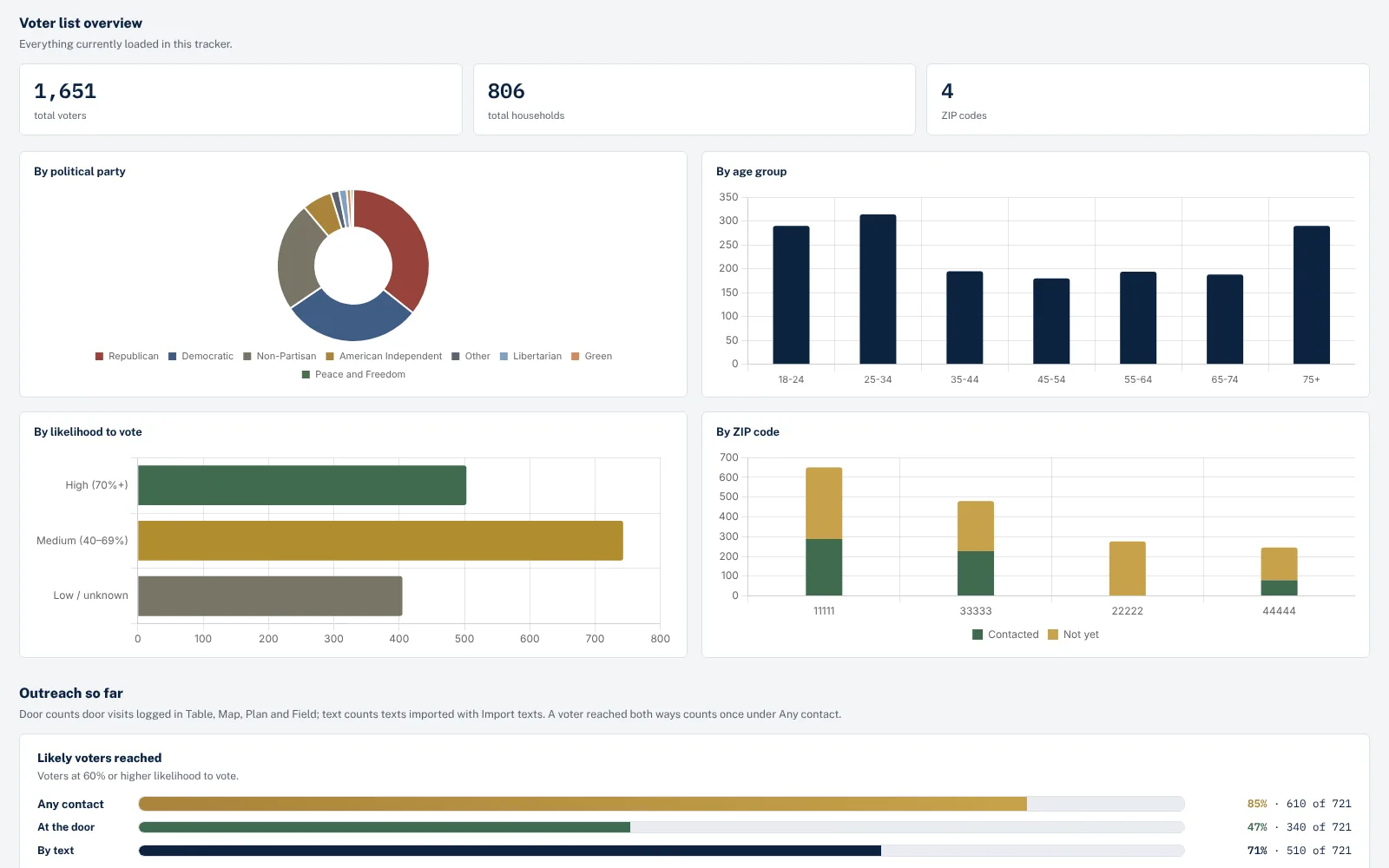
Voter Outreach Tracker: Statistics: the voter list by party, age, likelihood and area, plus outreach progress
Statistics: the voter list by party, age, likelihood and area, plus outreach progress
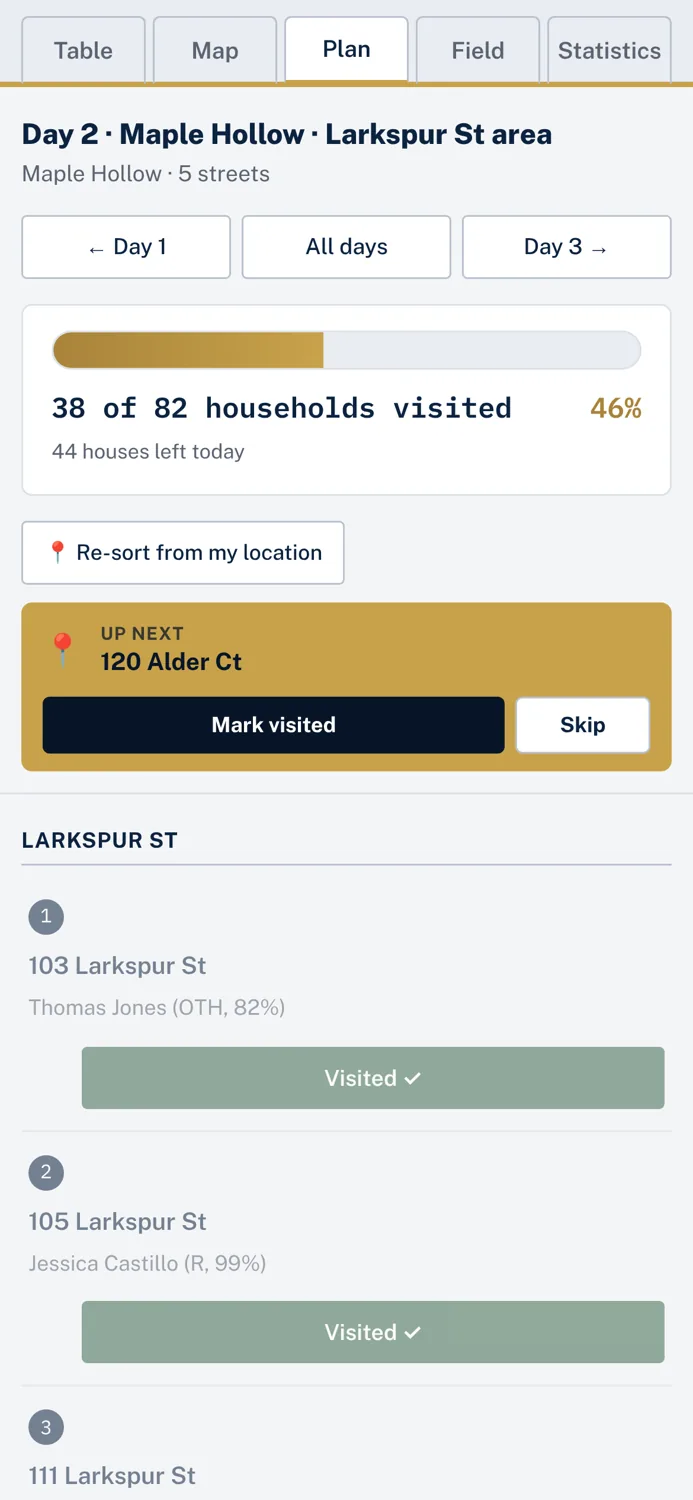
Voter Outreach Tracker: The day's walking order on a phone, street by street, with houses checked off as visited
The day's walking order on a phone, street by street, with houses checked off as visited
Civic · CampaignUsed in 2026

Voter Outreach Tracker

Plan, walk and track a door-to-door campaign from your phone.

I built this app to run the door-knocking side of my own city council campaign. It turns a voter list into a daily walking plan, a map of every household, and a simple phone screen that tells me which door is next. I mark each house as I go, and the app keeps count of how many likely voters I've reached, whether at the door or by text. It's for small, low-budget campaigns that don't have staff or expensive canvassing software, but still want to spend every hour on the doors that matter most.

  • Day-by-day walking routes built from real street distances, ranked by likely voters per mile
  • Field mode for the phone: GPS location, the next door to knock, and one-tap "Mark visited" or "Skip"
  • A map of every household, colored by likelihood to vote and whether it's been visited
  • Live progress toward likely voters reached at the door, by text, or either way
  • Notes and contact history for every voter, saved across devices and installable like an app
  • A companion texting tool that sends personal messages one at a time and tracks replies and opt-outs
JavaScript PWALeafletChart.jsPHPPython route planningTwilio
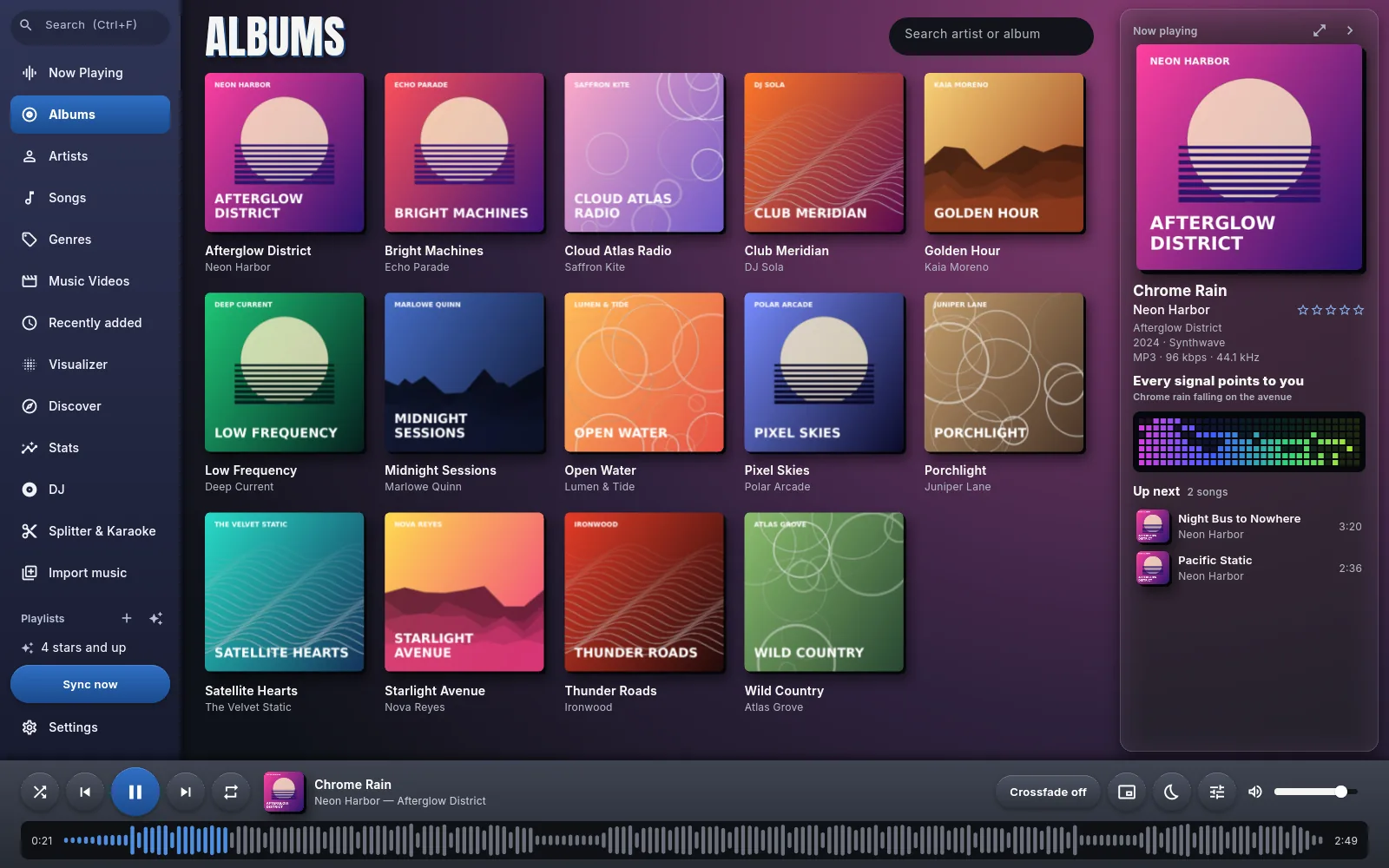
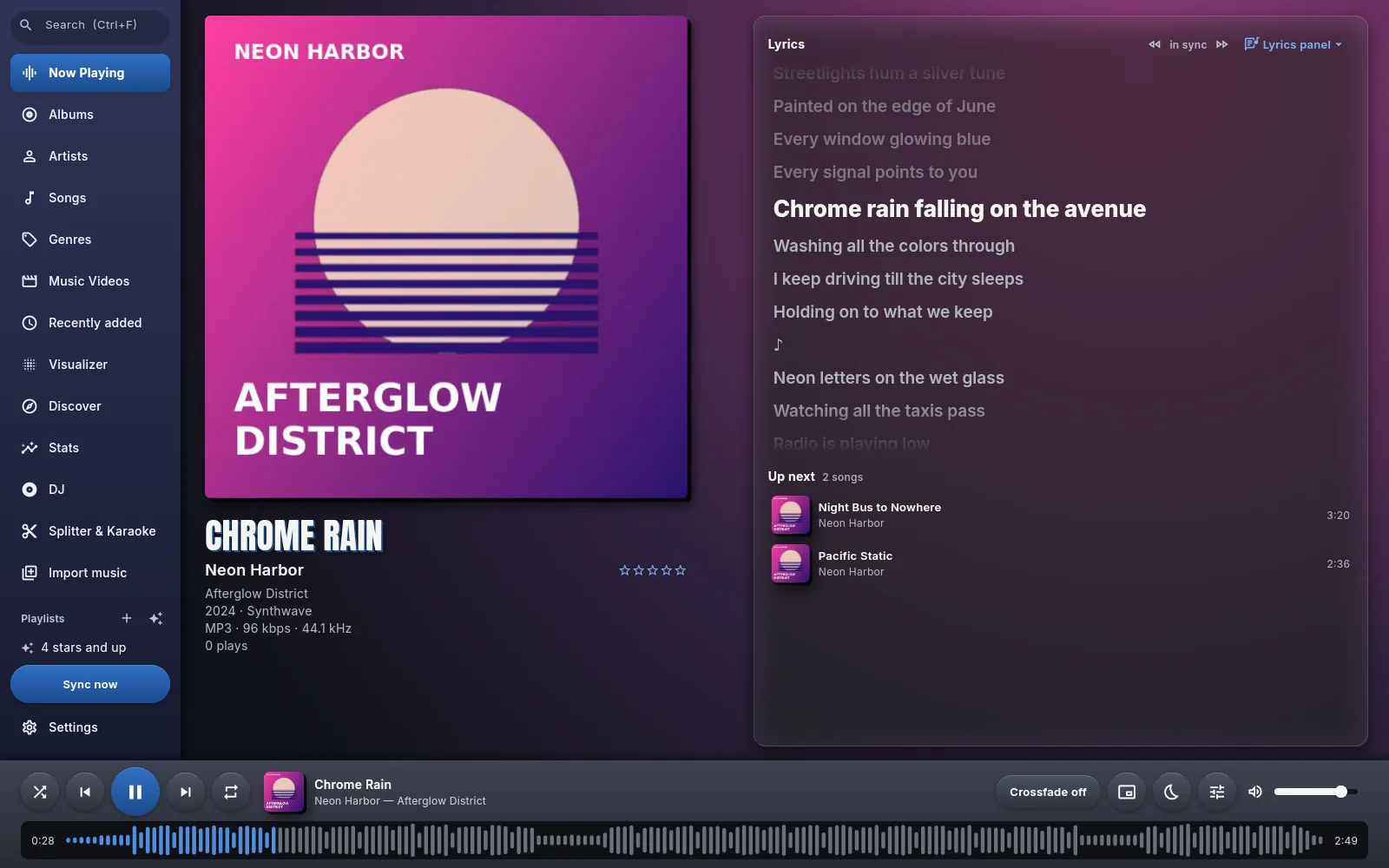
Music Player: The album library, with the now-playing panel showing album art, song details, the current lyric line and a live level meter.
The album library, with the now-playing panel showing album art, song details, the current lyric line and a live level meter.
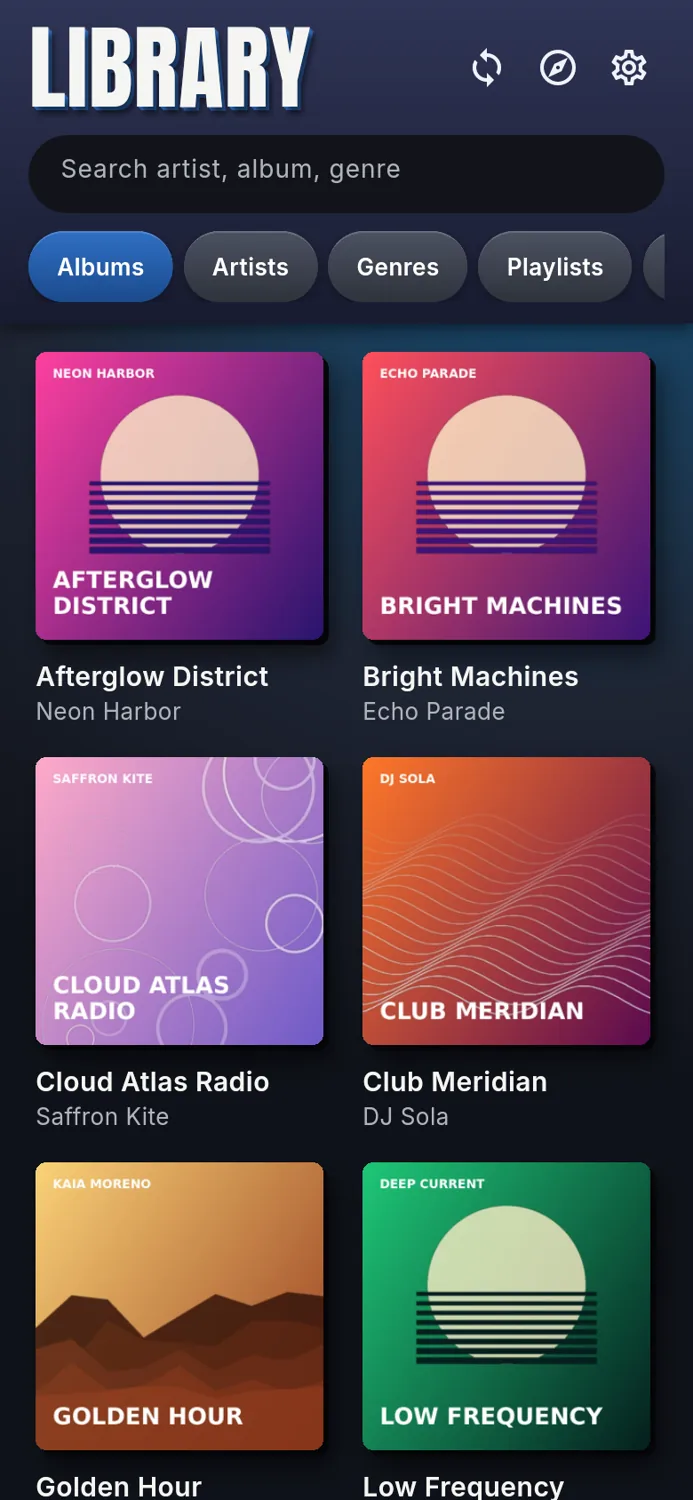
Music Player: The Android app's album library.
The Android app's album library.
Music Player: Now Playing, with lyrics that highlight the current line in time with the song.
Now Playing, with lyrics that highlight the current line in time with the song.
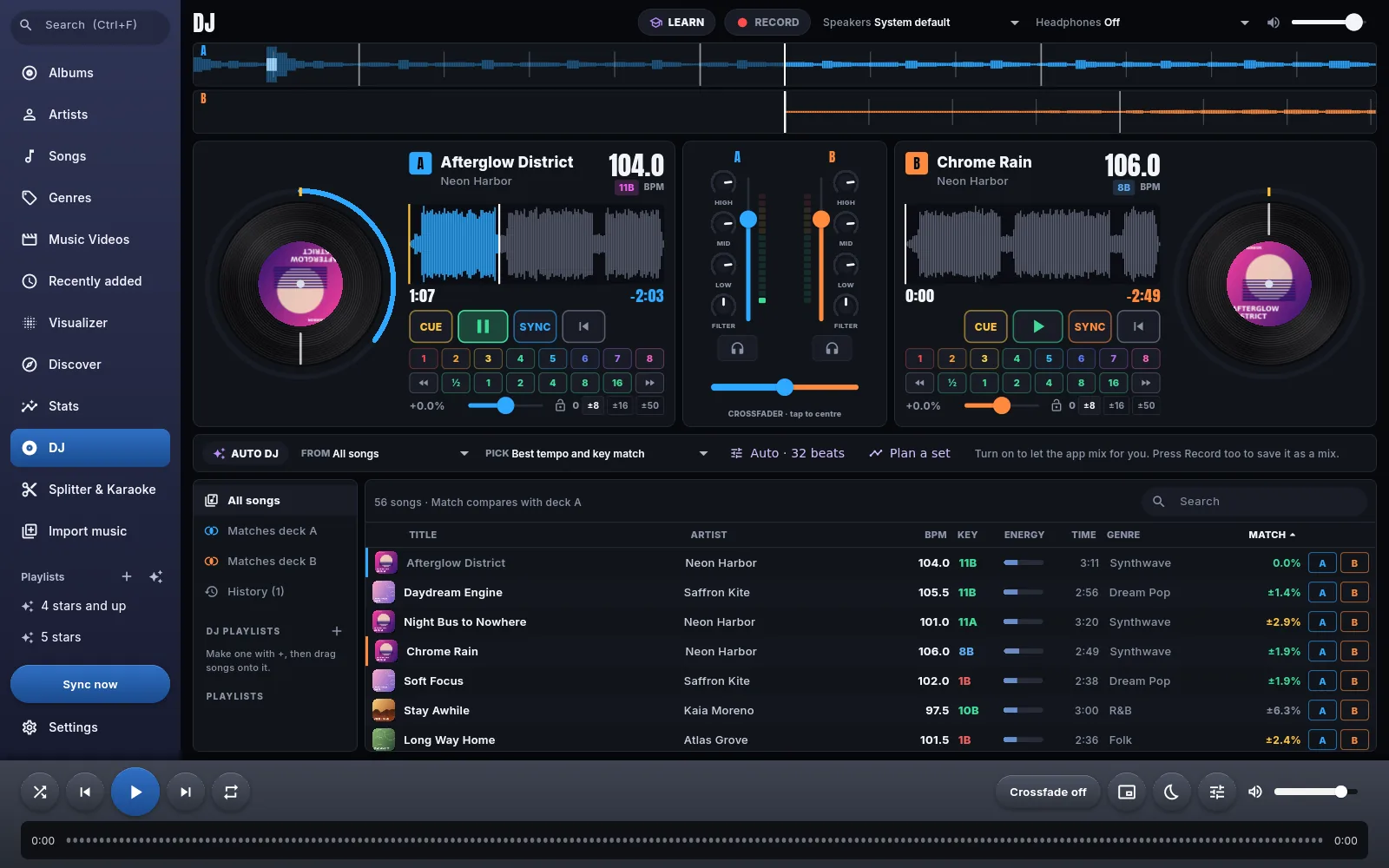
Music Player: The DJ booth: two decks with waveforms, the mixer, beat-matching controls, and a song browser sorted by how well each song matches the playing one.
The DJ booth: two decks with waveforms, the mixer, beat-matching controls, and a song browser sorted by how well each song matches the playing one.
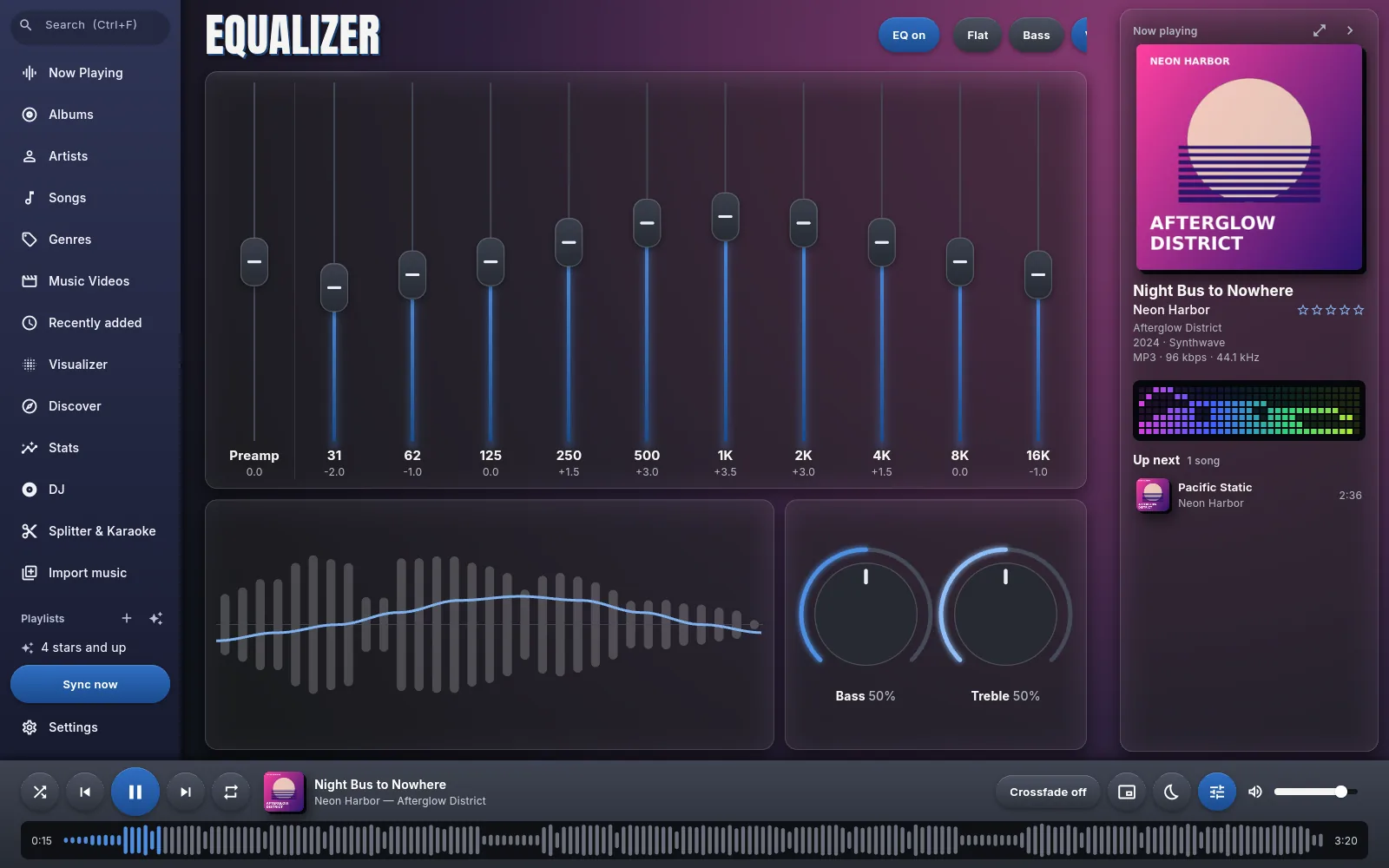
Music Player: The 10-band equalizer, with a frequency curve drawn over the live spectrum, plus bass and treble knobs.
The 10-band equalizer, with a frequency curve drawn over the live spectrum, plus bass and treble knobs.
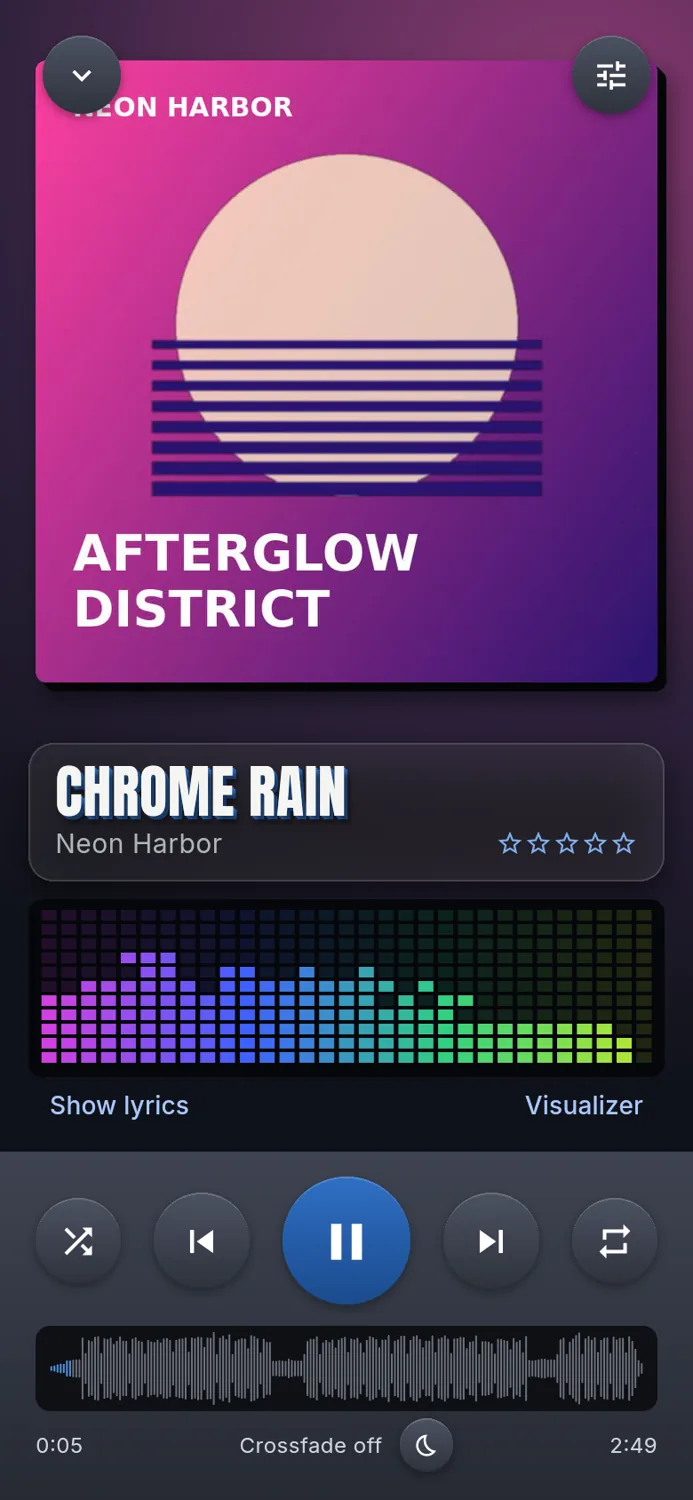
Music Player: Now Playing on Android, with album art, a live level meter and buttons for lyrics and the visualizer.
Now Playing on Android, with album art, a live level meter and buttons for lyrics and the visualizer.
MusicIn use

Music Player

My own iTunes replacement, with a DJ booth and synced lyrics built in.

I built Music Player because iTunes had become slow and clunky, and I wanted one music app that felt modern on both my computers and my phone. It keeps my whole library together: songs, albums, playlists, star ratings and play counts. Whatever I change on one device shows up on the others. Along the way it grew into something more: a two-deck DJ booth that can mix songs for me, lyrics that scroll along with the music, and a proper equalizer. It's for anyone with a big personal music collection who wants to own it, not rent it.

  • A two-deck DJ booth that detects each song's tempo and key, and an Auto DJ that plans and mixes whole sets
  • Lyrics that scroll in time with the song, with a tap on any line to jump to that point in the song
  • Library, playlists, ratings and play counts stay in sync across Windows PCs and an Android phone
  • A 10-band equalizer with presets, a live spectrum display and animated visualizers
  • One-click karaoke versions made by removing vocals
  • Imports an existing iTunes library and reads album art stored inside the music files
Flutter & DartC++ audio engineFFmpegGLSL shadersSQLitePHP sync
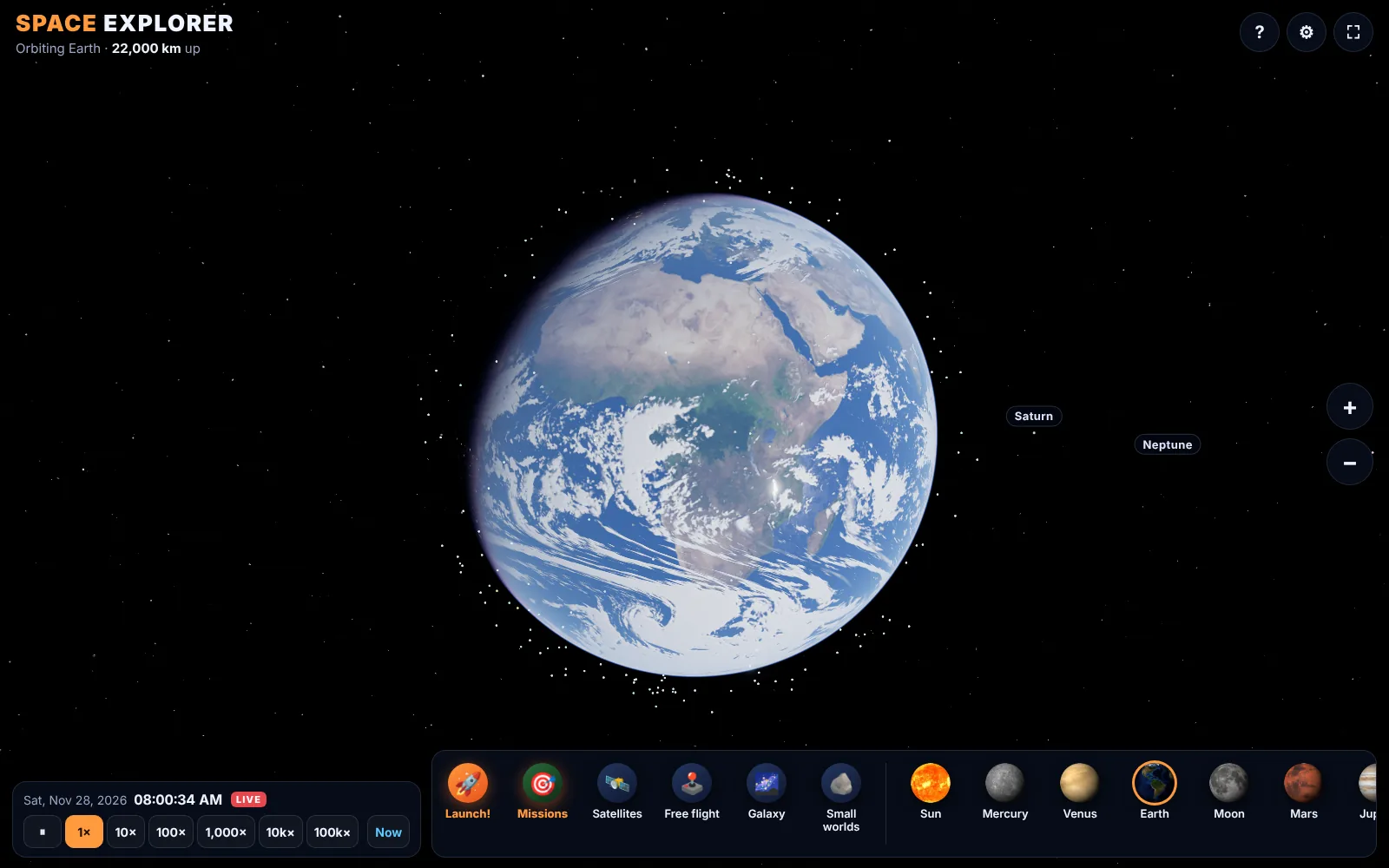
Space Explorer: Earth from 22,000 km, with real-time daylight and live cloud cover.
Earth from 22,000 km, with real-time daylight and live cloud cover.
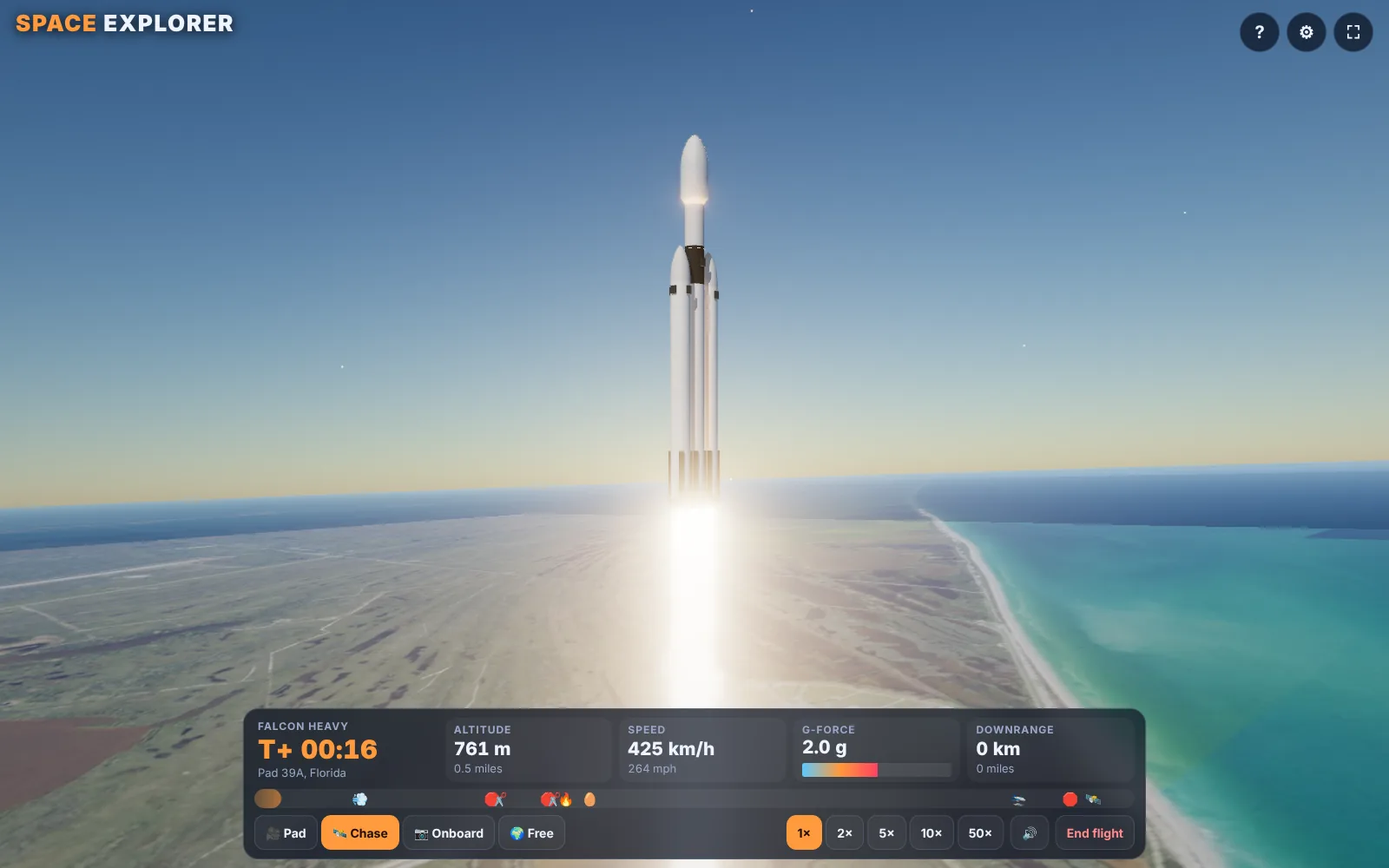
Space Explorer: A Falcon Heavy lifting off from Kennedy Space Center's pad 39A.
A Falcon Heavy lifting off from Kennedy Space Center's pad 39A.
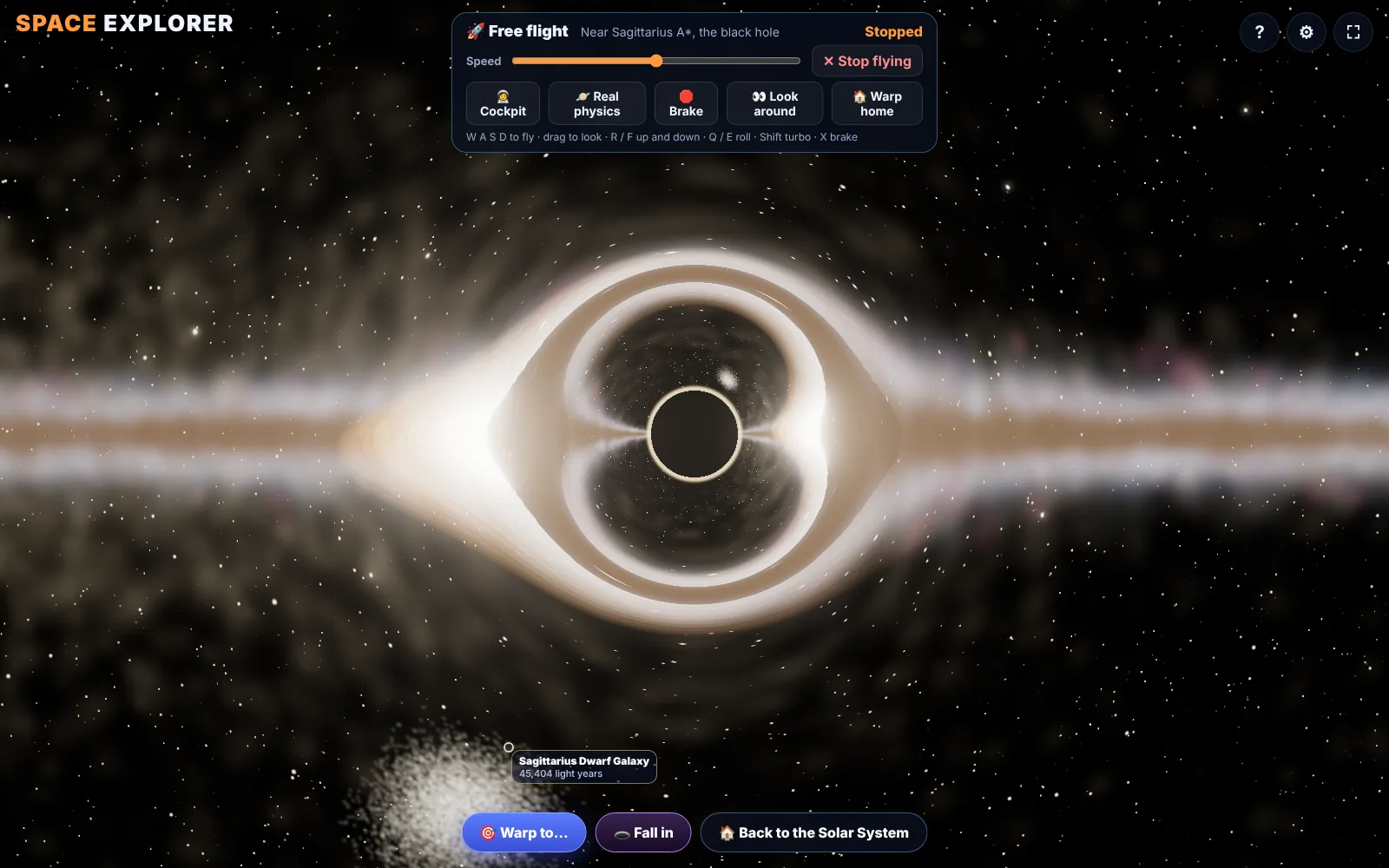
Space Explorer: Sagittarius A*, the black hole at the centre of the Milky Way, bending the light around it.
Sagittarius A*, the black hole at the centre of the Milky Way, bending the light around it.
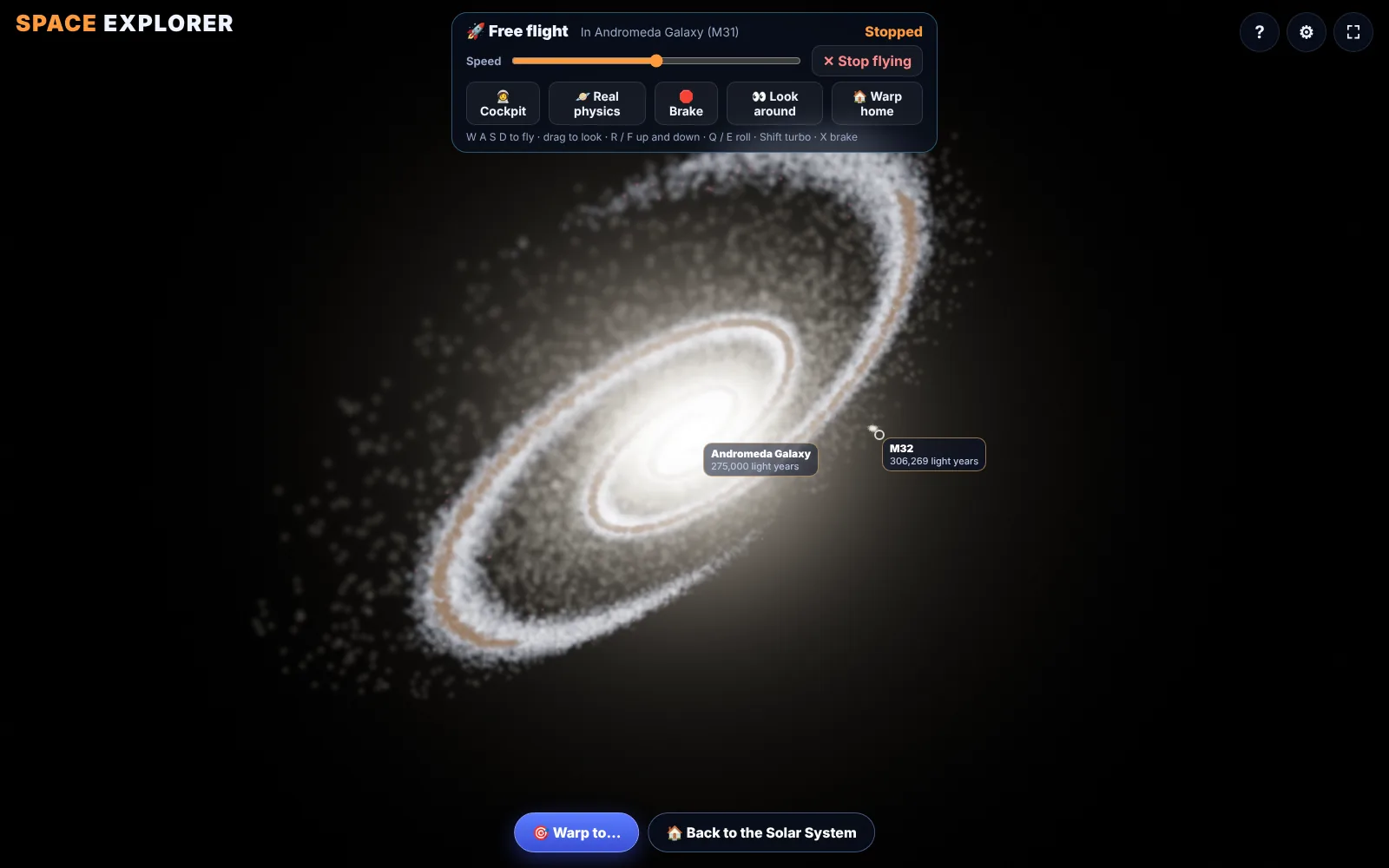
Space Explorer: Arriving at the Andromeda Galaxy, 2.5 million light years from home, after a trip on the warp drive.
Arriving at the Andromeda Galaxy, 2.5 million light years from home, after a trip on the warp drive.
Family · LearningIn use

Space Explorer

Fly through the real universe, from launch pad to black hole.

I built Space Explorer as a space simulator for kids and families. Every planet, moon, satellite and star sits where it really is right now, at its real size and distance. You can launch real rockets from real launch pads, fly the Apollo and Artemis missions to the Moon, dock with the space station and float around inside it, then fire up a warp drive to visit nebulae, galaxies and black holes. It turns "how big is space?" into something you can explore rather than just read about.

  • Real rocket launches (Saturn V, Space Shuttle, Falcon 9 and Falcon Heavy, SLS, Starship) with twin booster landings
  • Apollo 11, Apollo 13 and Artemis Moon missions you fly yourself, including the final landing
  • Warp drive through 109,000 real stars, nebulae and galaxies, with a black hole that bends light
  • The real solar system and thousands of live satellites, all in their true positions in real time
  • Walk-through interiors of the International Space Station and China's Tiangong station
  • NASA shape models of real asteroids, comets, spacecraft and Mars rovers
JavaScriptthree.js / WebGL 2Astronomy Enginesatellite.jsBlenderPythonNASA open data
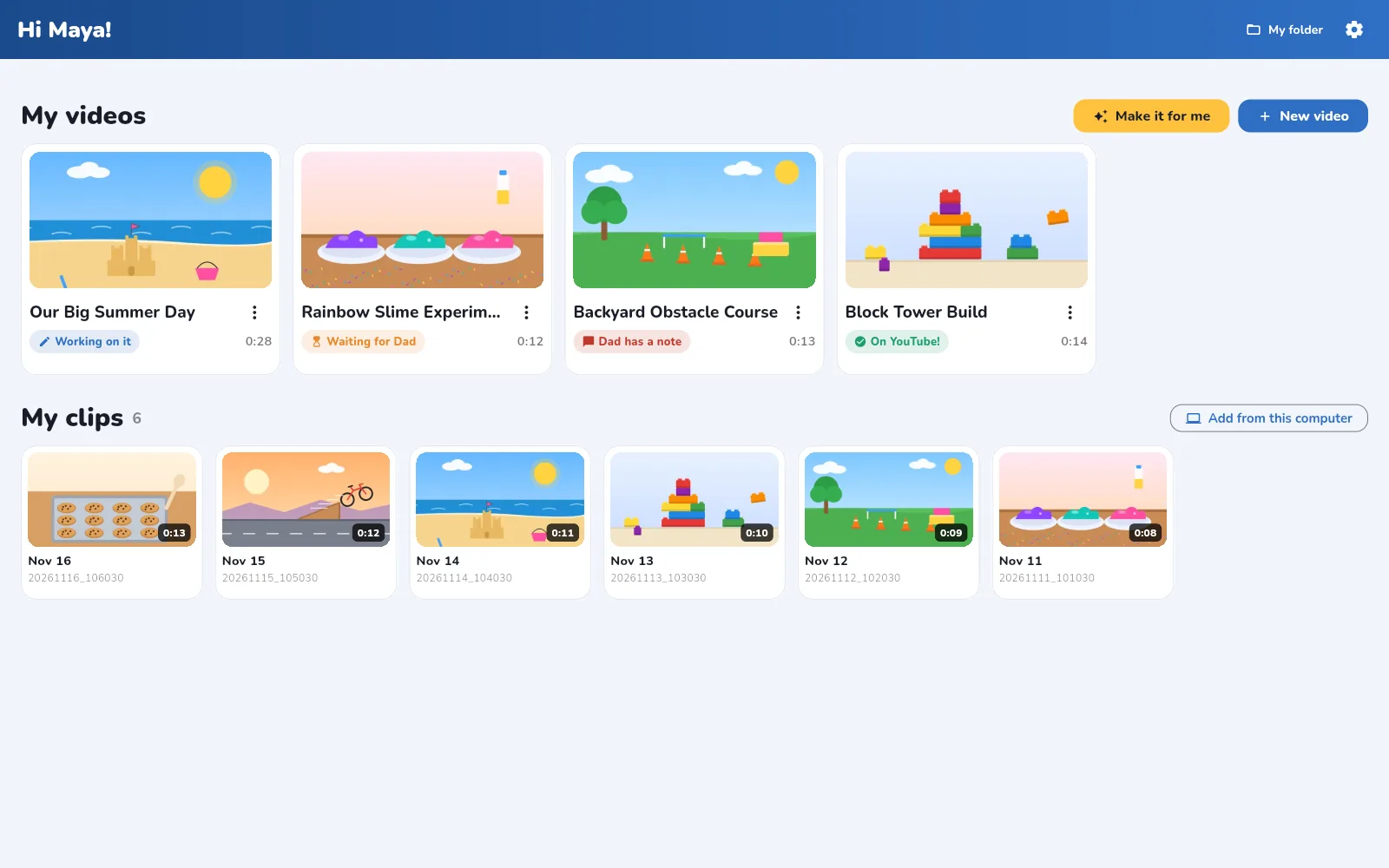
Kids Video Editor & Upload Tool: The home screen, with each video's status (being edited, waiting for a parent, has a note, on YouTube) and clips brought in from the tablet.
The home screen, with each video's status (being edited, waiting for a parent, has a note, on YouTube) and clips brought in from the tablet.
Kids Video Editor & Upload Tool: The same approval page on a phone, so parents can review videos on the go.
The same approval page on a phone, so parents can review videos on the go.
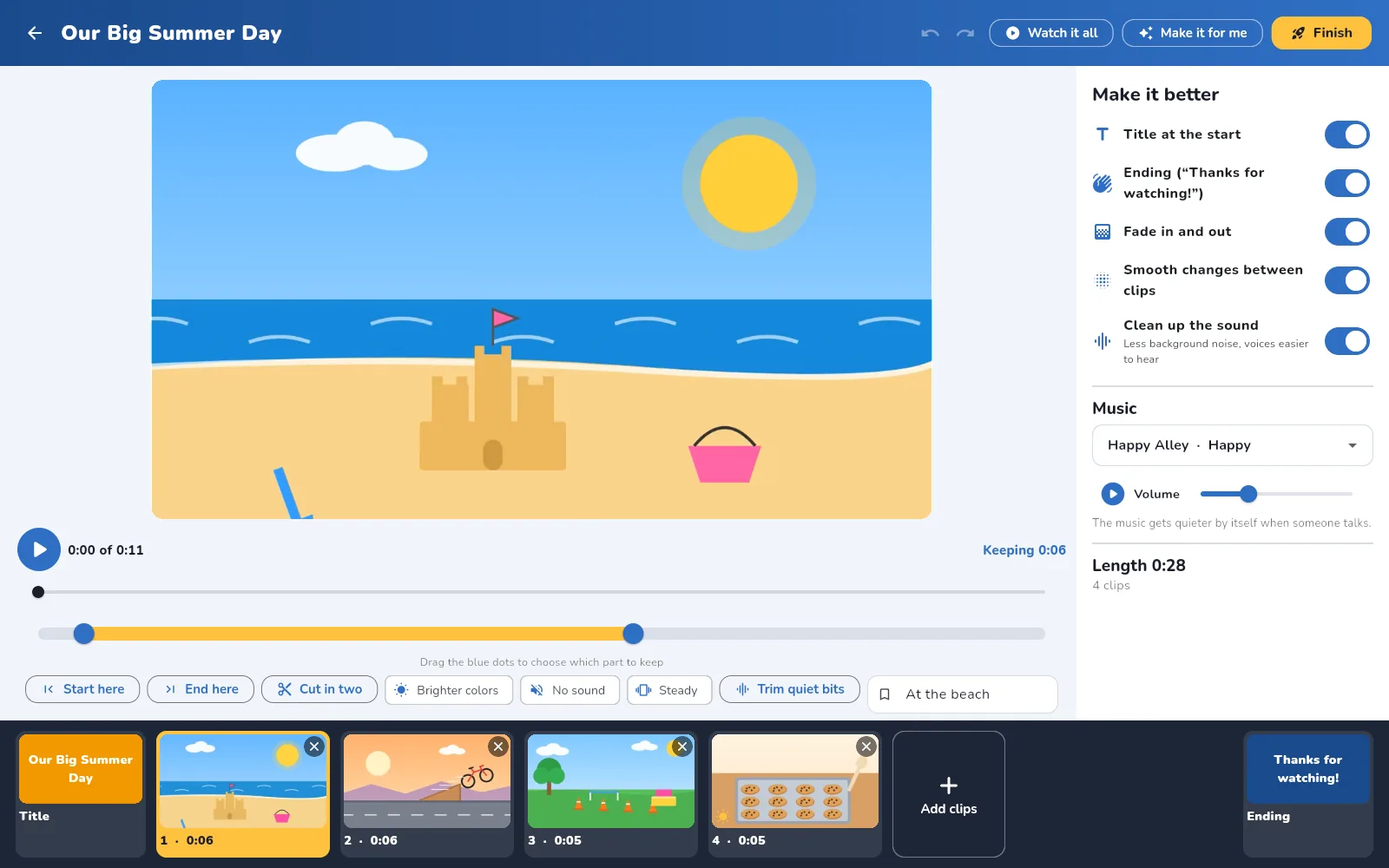
Kids Video Editor & Upload Tool: The editor. Pick the part of each clip to keep and switch on titles, fades and cleaner sound with one tap each. Music sits underneath.
The editor. Pick the part of each clip to keep and switch on titles, fades and cleaner sound with one tap each. Music sits underneath.
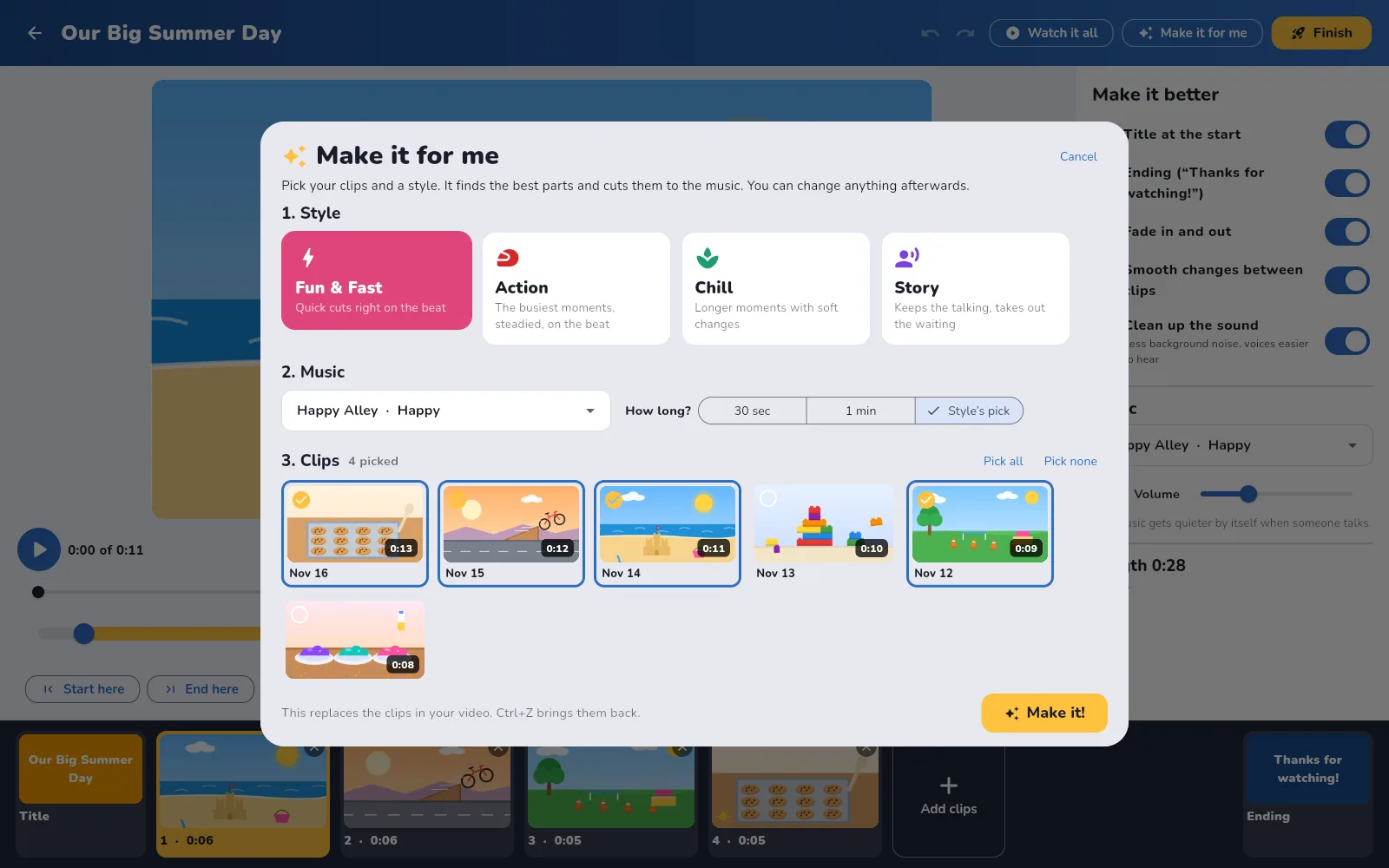
Kids Video Editor & Upload Tool: "Make it for me": choose a style, a song and some clips, and the app builds the video on the beat.
"Make it for me": choose a style, a song and some clips, and the app builds the video on the beat.
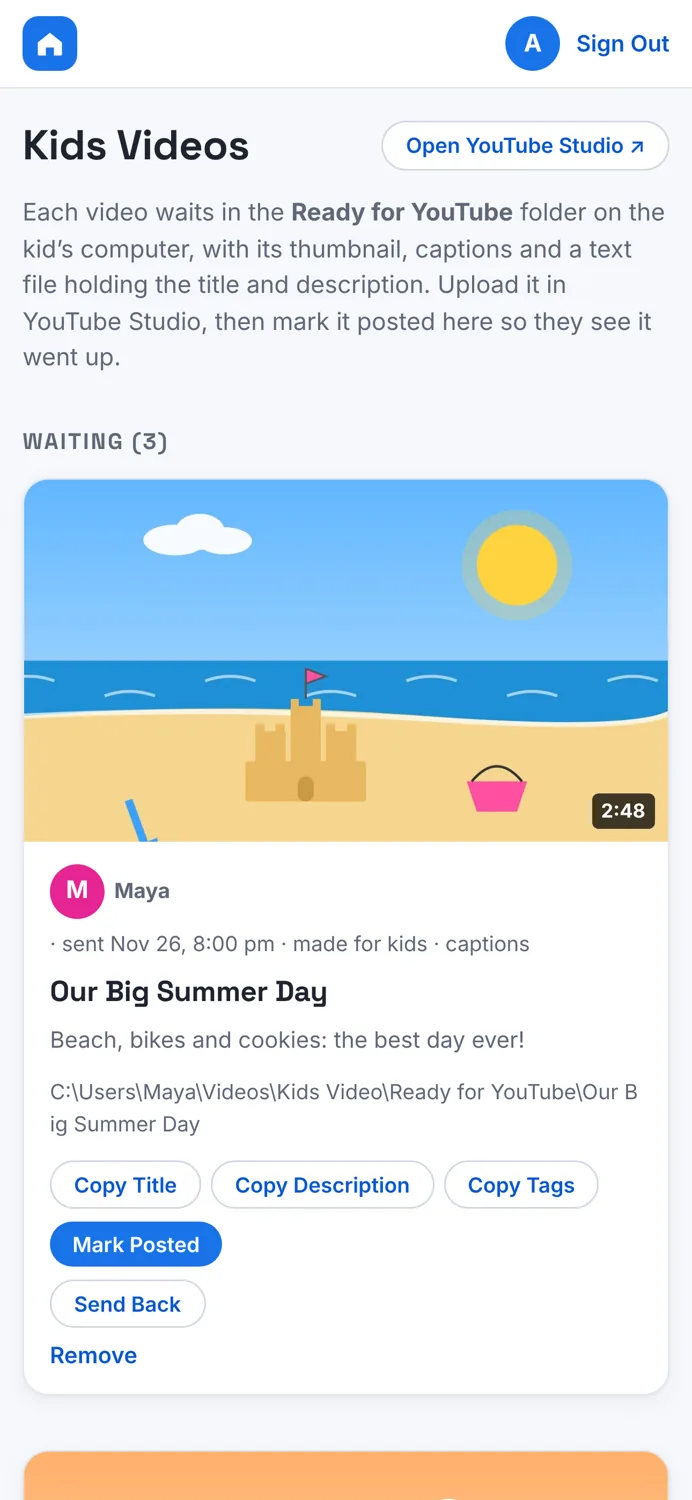
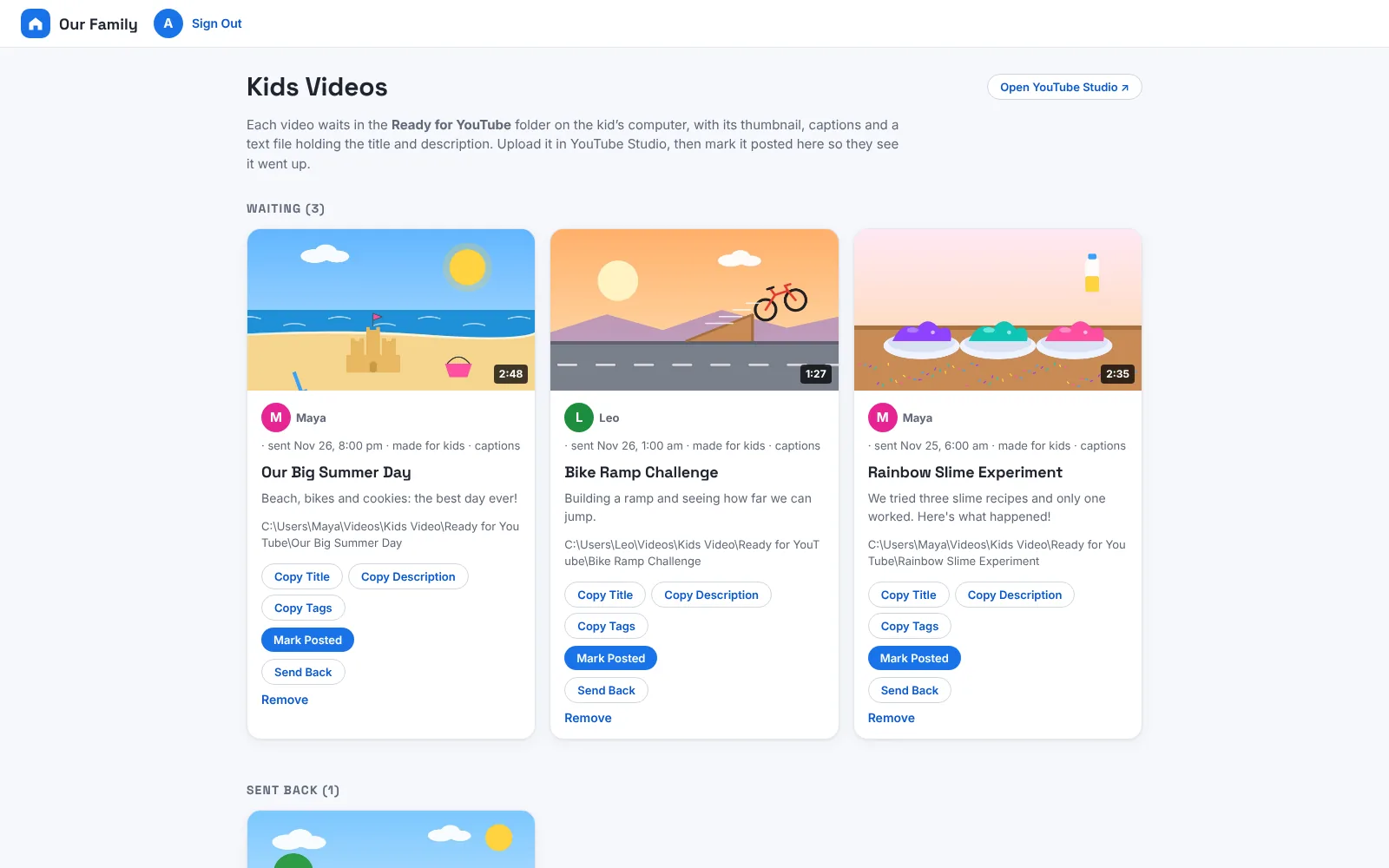
Kids Video Editor & Upload Tool: The parent's approval page. Copy the title and description into YouTube, mark the video posted, or send it back with a note.
The parent's approval page. Copy the title and description into YouTube, mark the video posted, or send it back with a note.
FamilyIn progress

Kids Video Editor & Upload Tool

A simple video editor for kids, with a parent's OK before anything goes online.

I built this editor so my kids could make their own YouTube videos without wrestling with grown-up editing software. They plug in a tablet, the app brings in their clips, and they put a video together with big, friendly buttons for titles, music and captions. If they'd rather not edit by hand, "Make it for me" builds one cut to the beat of the music. When they're done, the video goes to a parent instead of straight to the internet. I get an email, watch it, and then post it or send it back with a note.

  • "Make it for me": picks the best moments from each clip and cuts them on the music's beat.
  • Parent approval: you get an email with the thumbnail, then post the video or send it back with a note the kid sees.
  • Plug in a tablet and import: every video is double-checked before it's cleared off the tablet.
  • Automatic captions, made right on the computer with no outside service.
  • A kid-sized editor: trim, steady shaky shots, brighten, title cards, music and unlimited undo.
  • Installs like a normal Windows app and updates itself.
Flutter (Windows)FFmpegwhisper.cppC# / .NETPHPMySQL

The toolbox

HTML & CSSJavaScriptPHPMySQLPythonFlutter & DartKotlin & AndroidiOS (Capacitor)C++three.js & WebGLLeaflet mapsHome AssistantFirebaseLinux serversGitHub Actions
Ask me about a project